Netflix • COncept 2025
Role
Product Designer
TImeline
Nov - Dec 2025
Skills
UI/UX Design, User Testing, Prototyping
tools
Figma, Python, AI (Gemini, NotebookLM)
Redesign outcomes
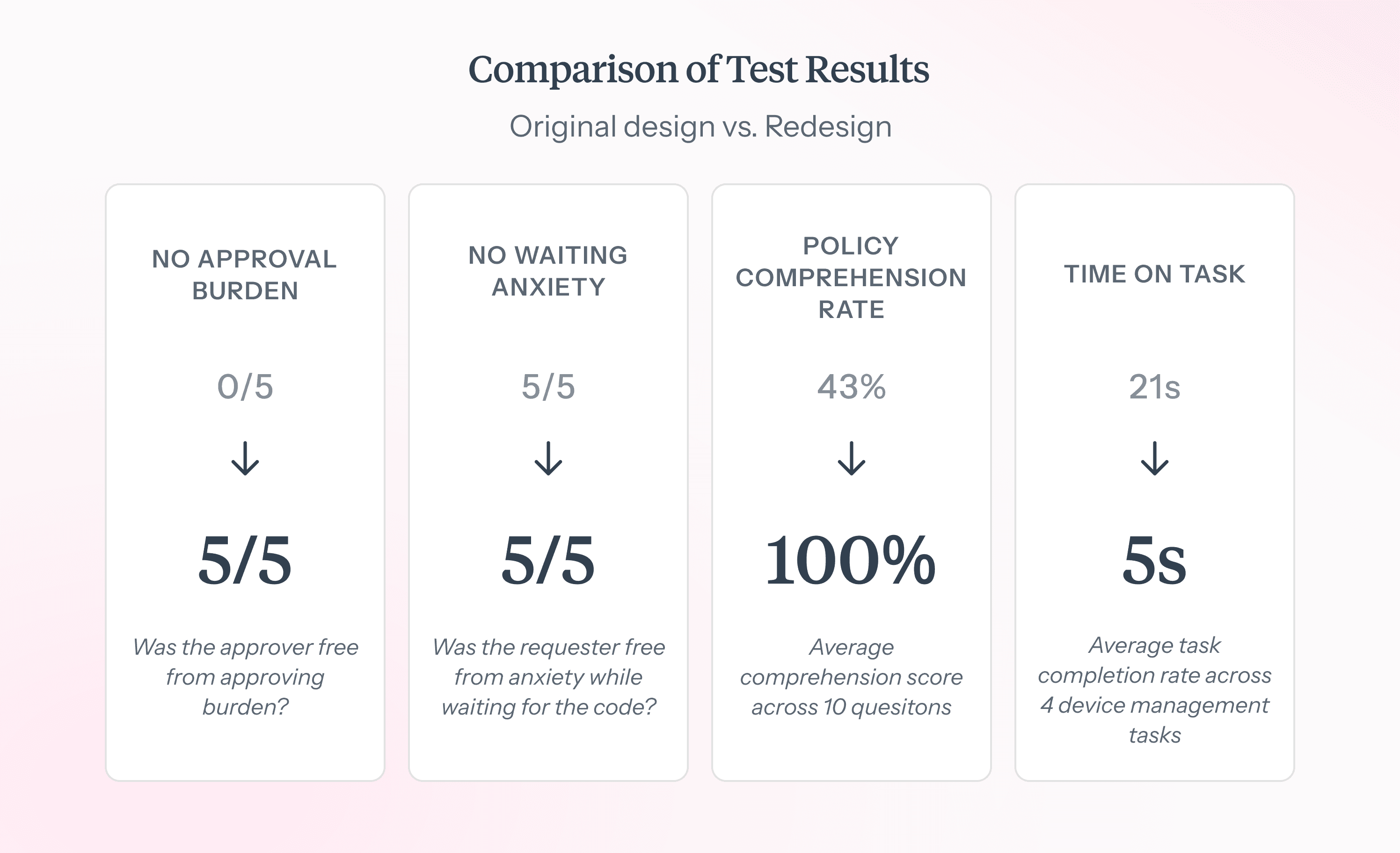
No Waiting Anxiety
In users reporting no anxiety while waiting to get verified (2/5 -> 5/5)
132% Increase
In policy comprehension rate
78% Reduction
In average task completion time (21s -> 5s)
At a glance
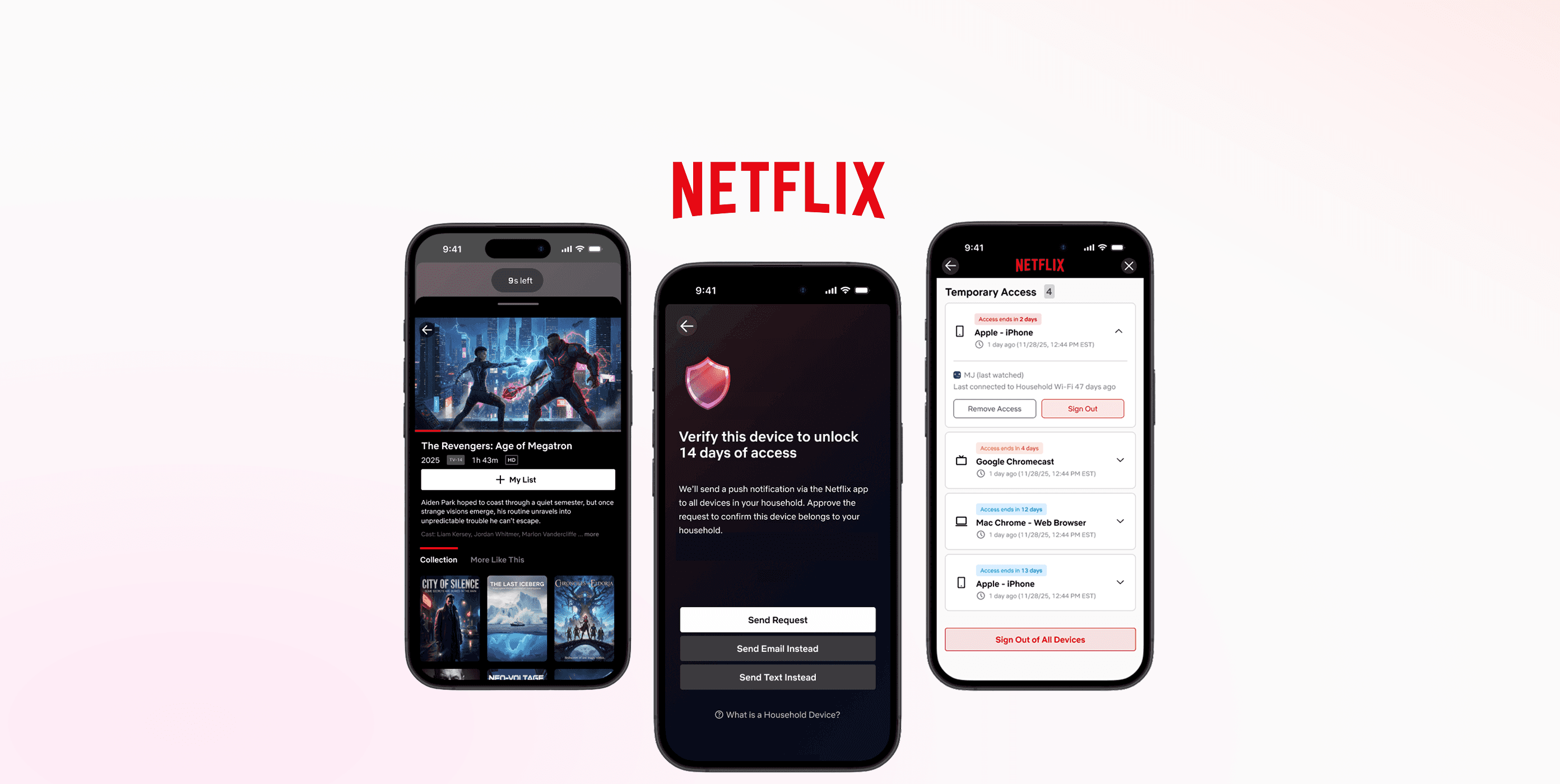
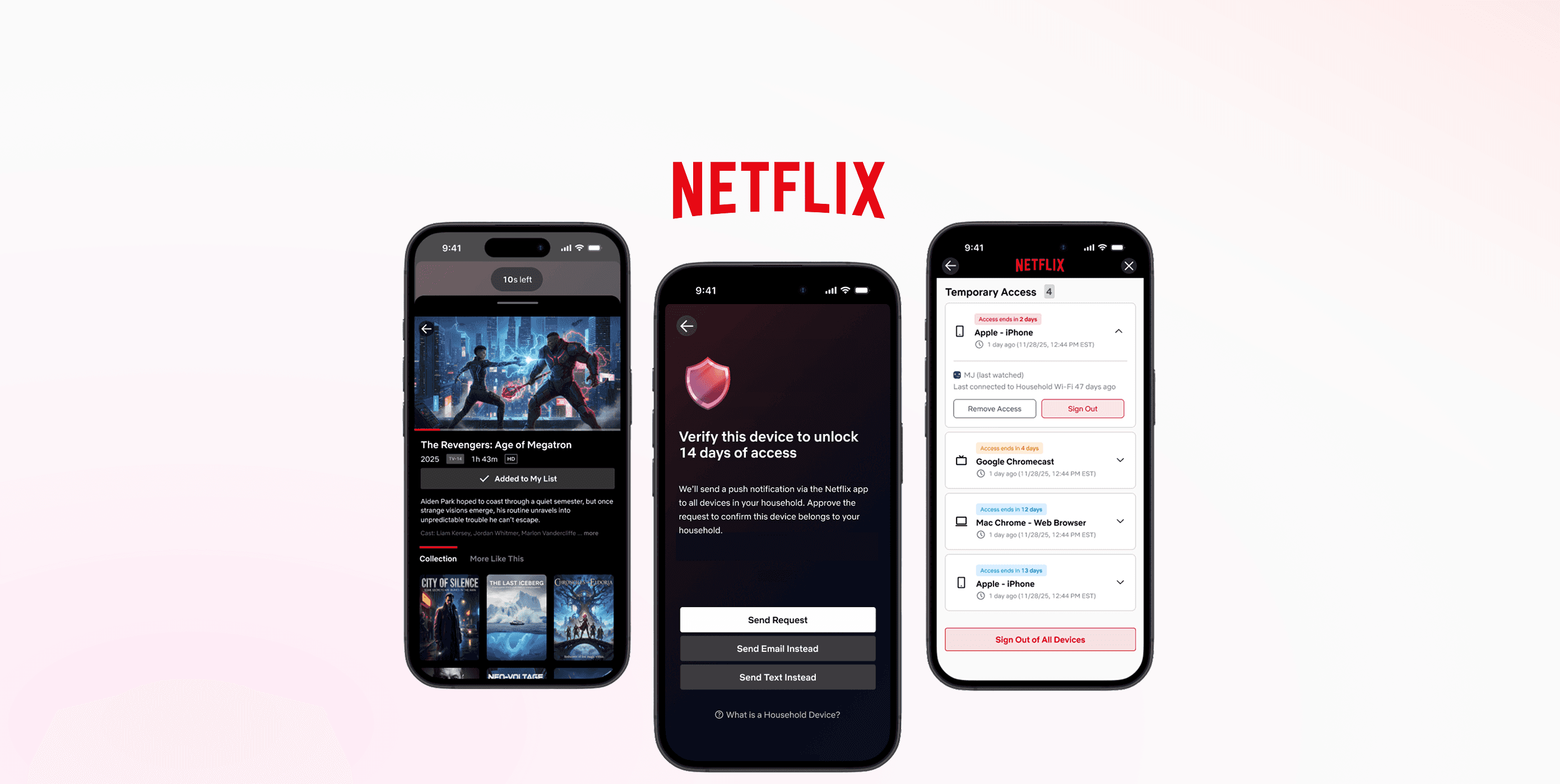
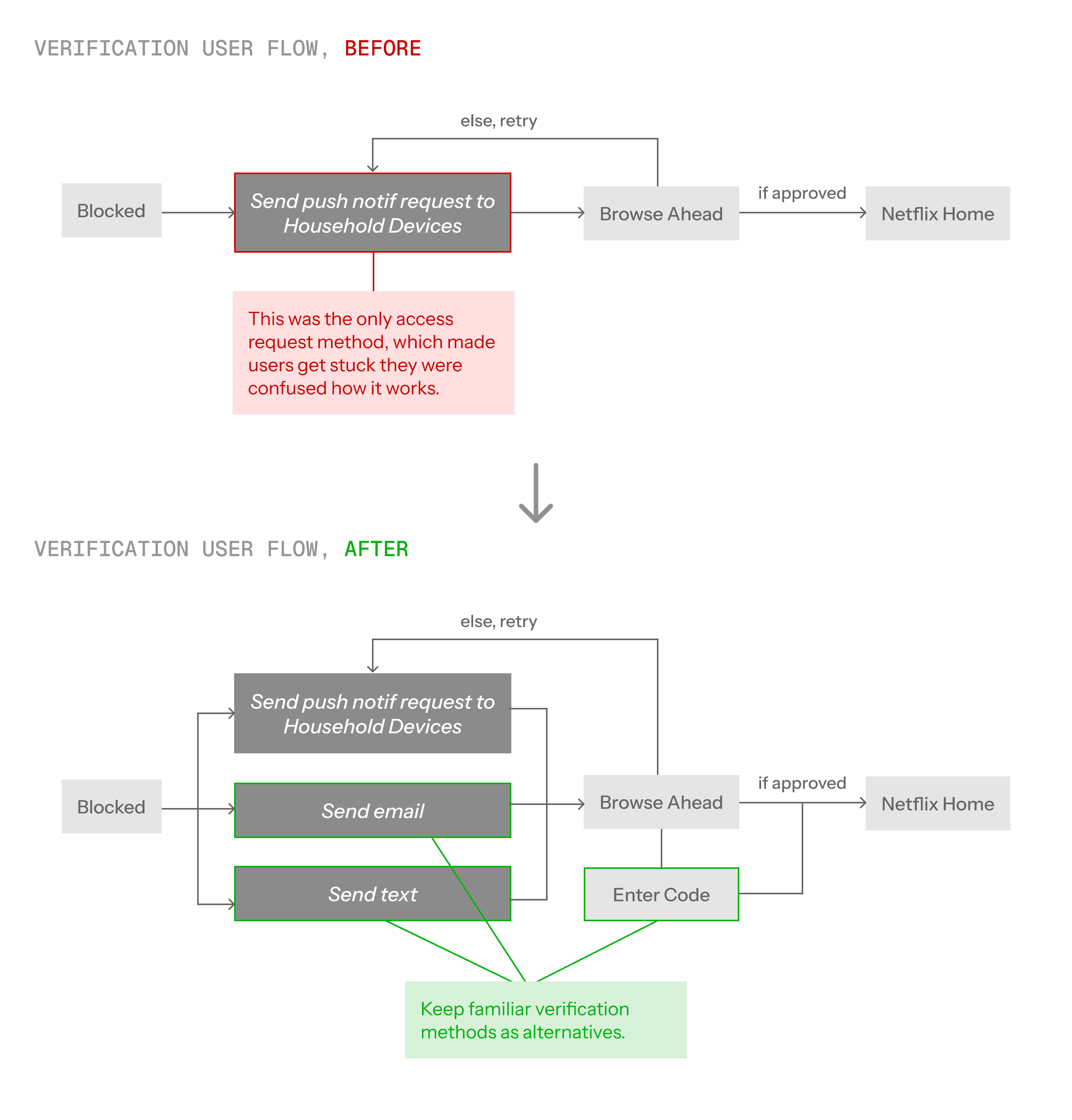
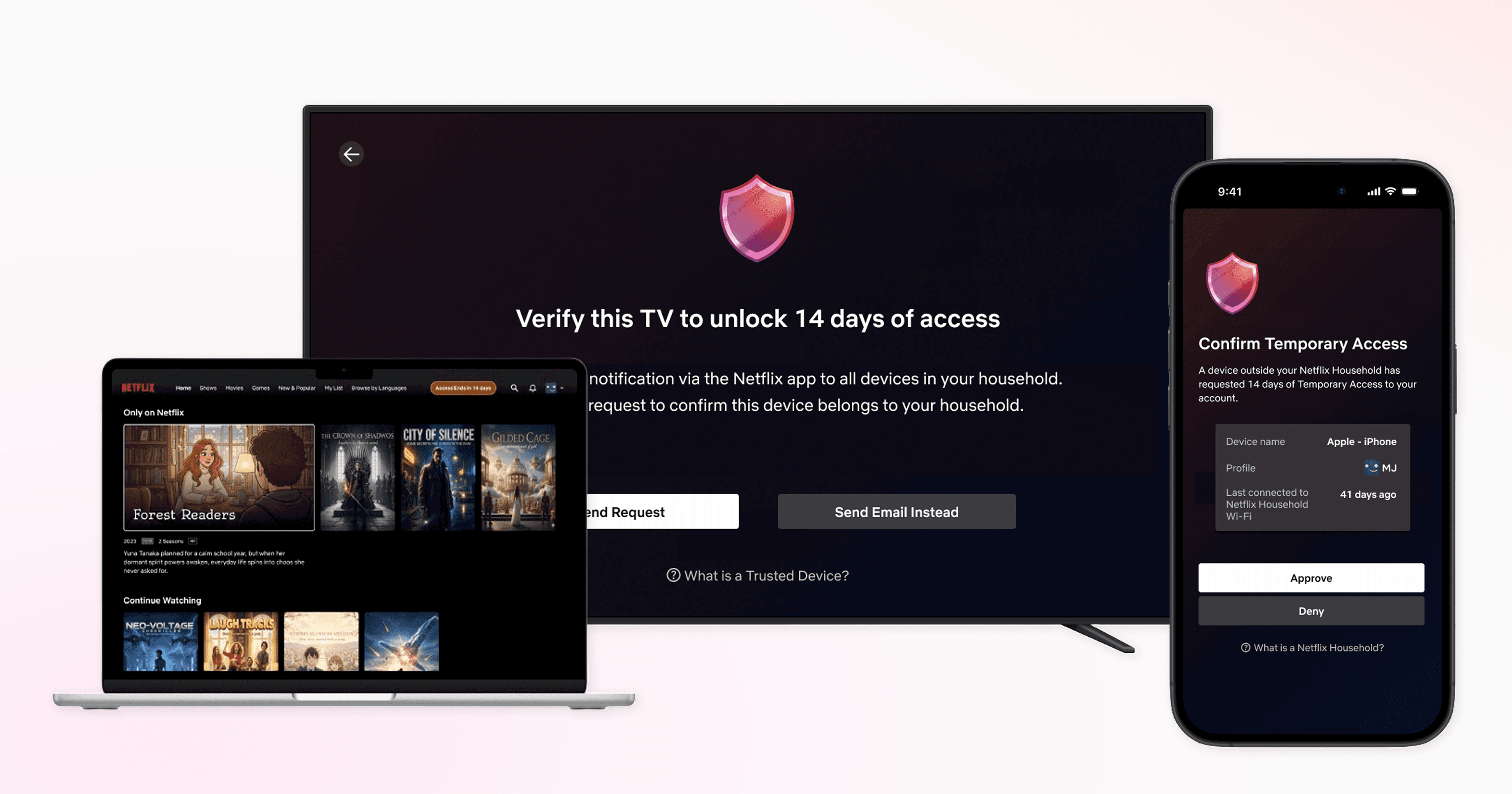
Introducing the new clustered push notification verification method. Any household devices can approve your temporary access request.
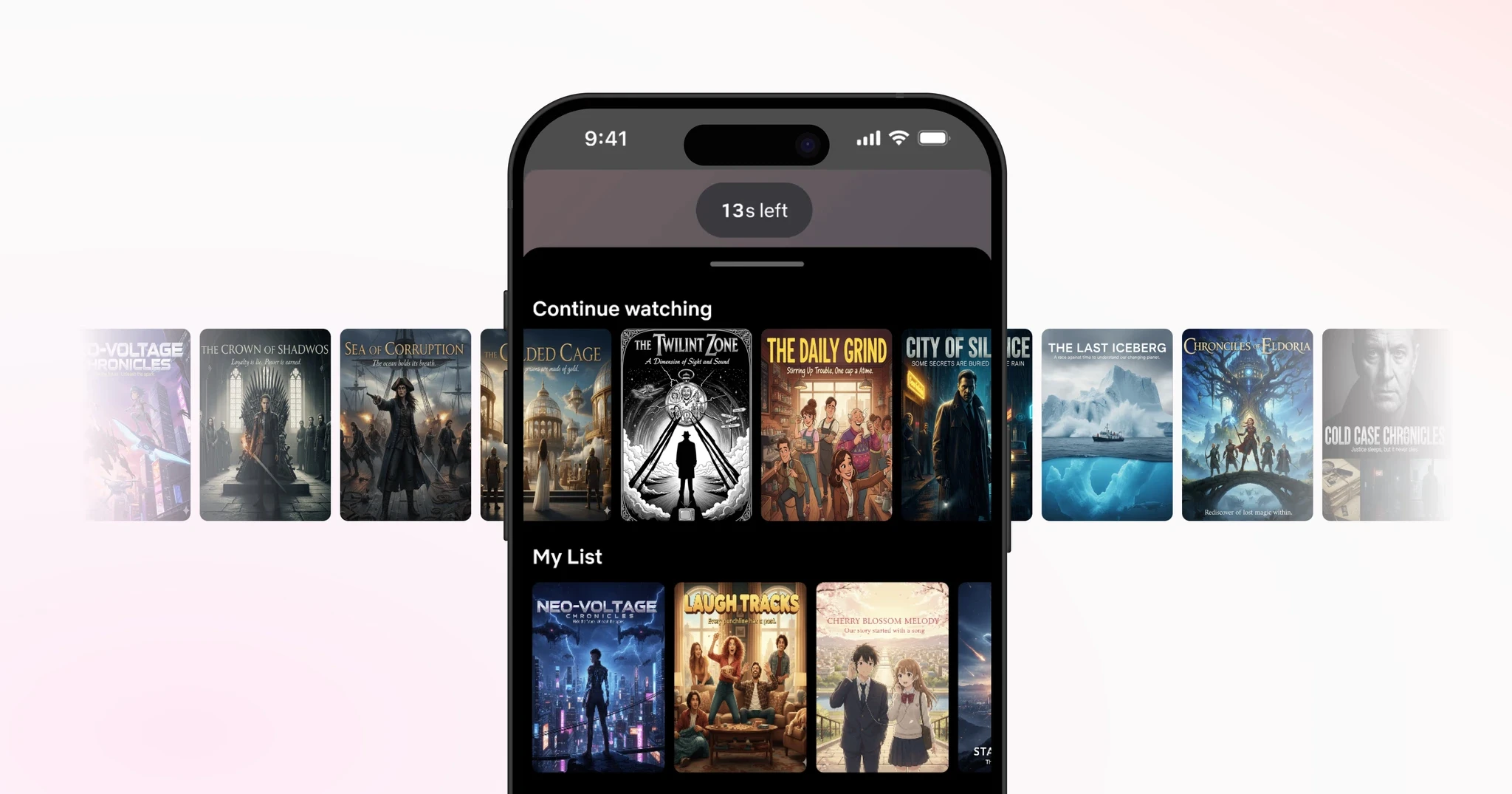
'Browse Ahead' feature, for you to browse and add titles to your watchlist while waiting to get verified.
Problem
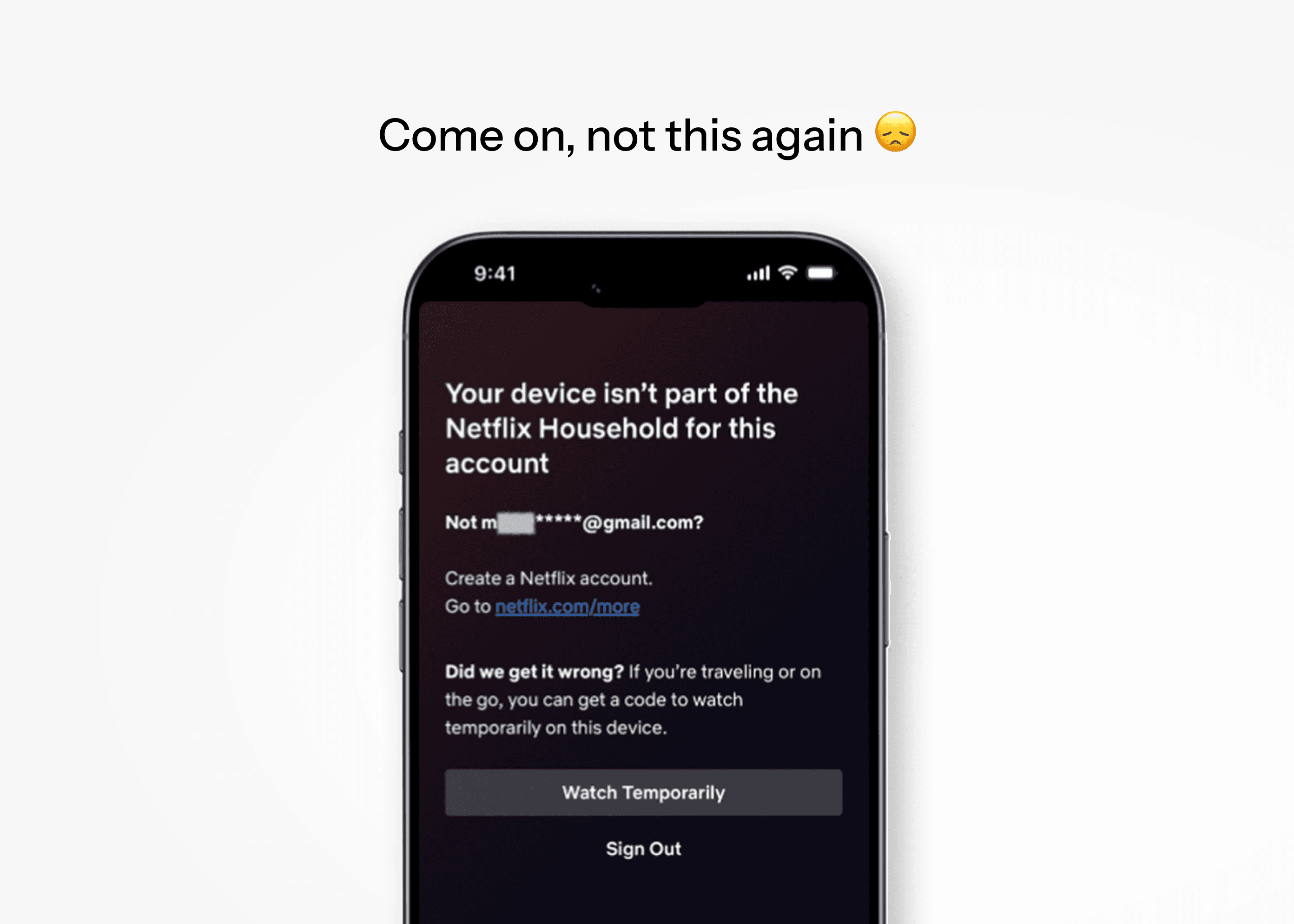
Members of the Kim household are heavy Netflix users.
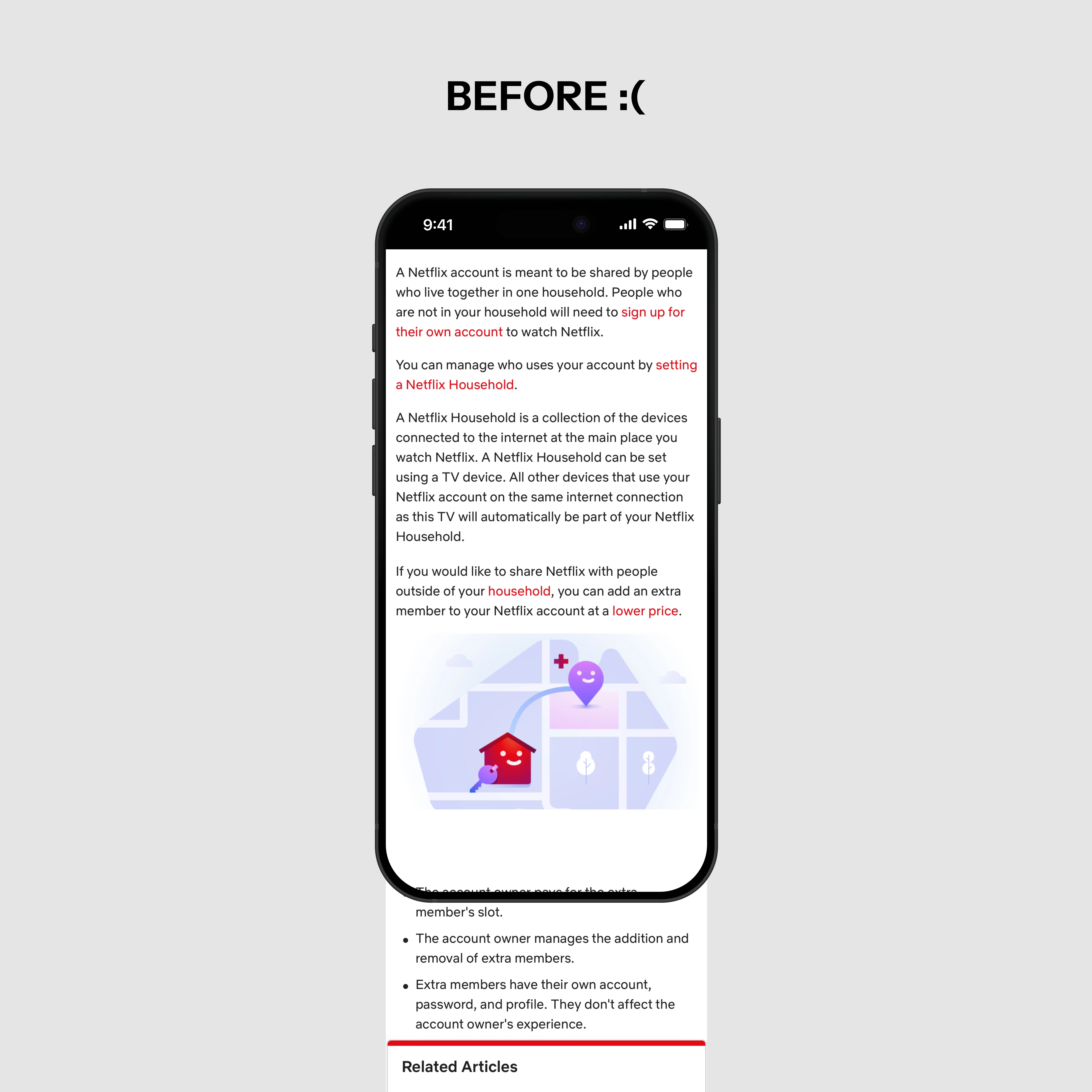
But every once in a while, someone gets locked out for not connecting to home WiFi in the past month.
Regaining access requires a verification code via email/text, relayed through the account owner, granting only 2 weeks of access before repeating.
Hmm…
Is this a pain just for us?
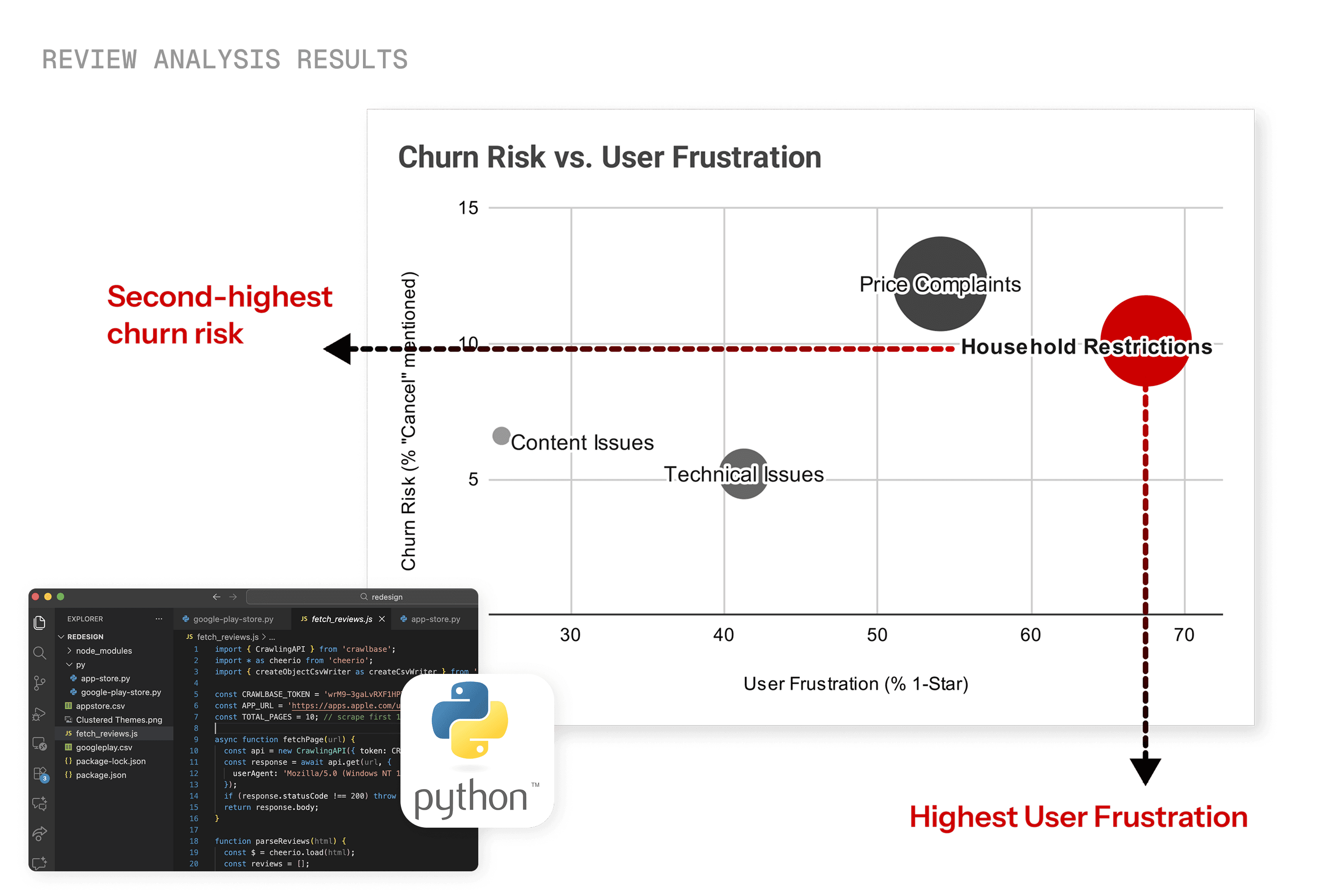
After analyzing 2,000+ Google Play Store and App Store reviews with Gemini, I found that among all complaint categories, Household Restriction had:
highest user frustration levels, and
second-highest cancellations mentioned.
redesign goals
My goal wasn't to change the policy itself, but to improve how users experience this restriction to reduce churn risk and frustration.
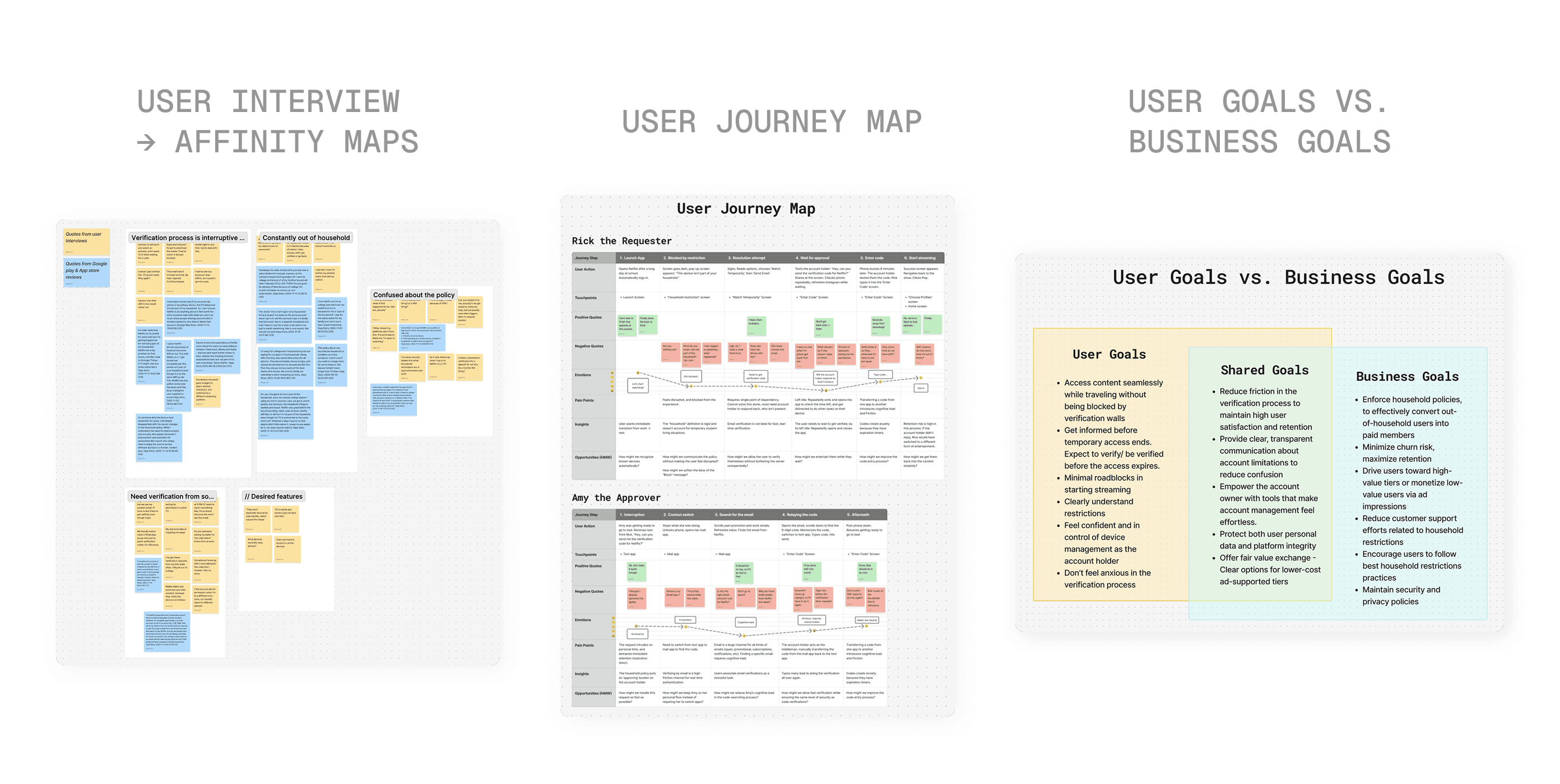
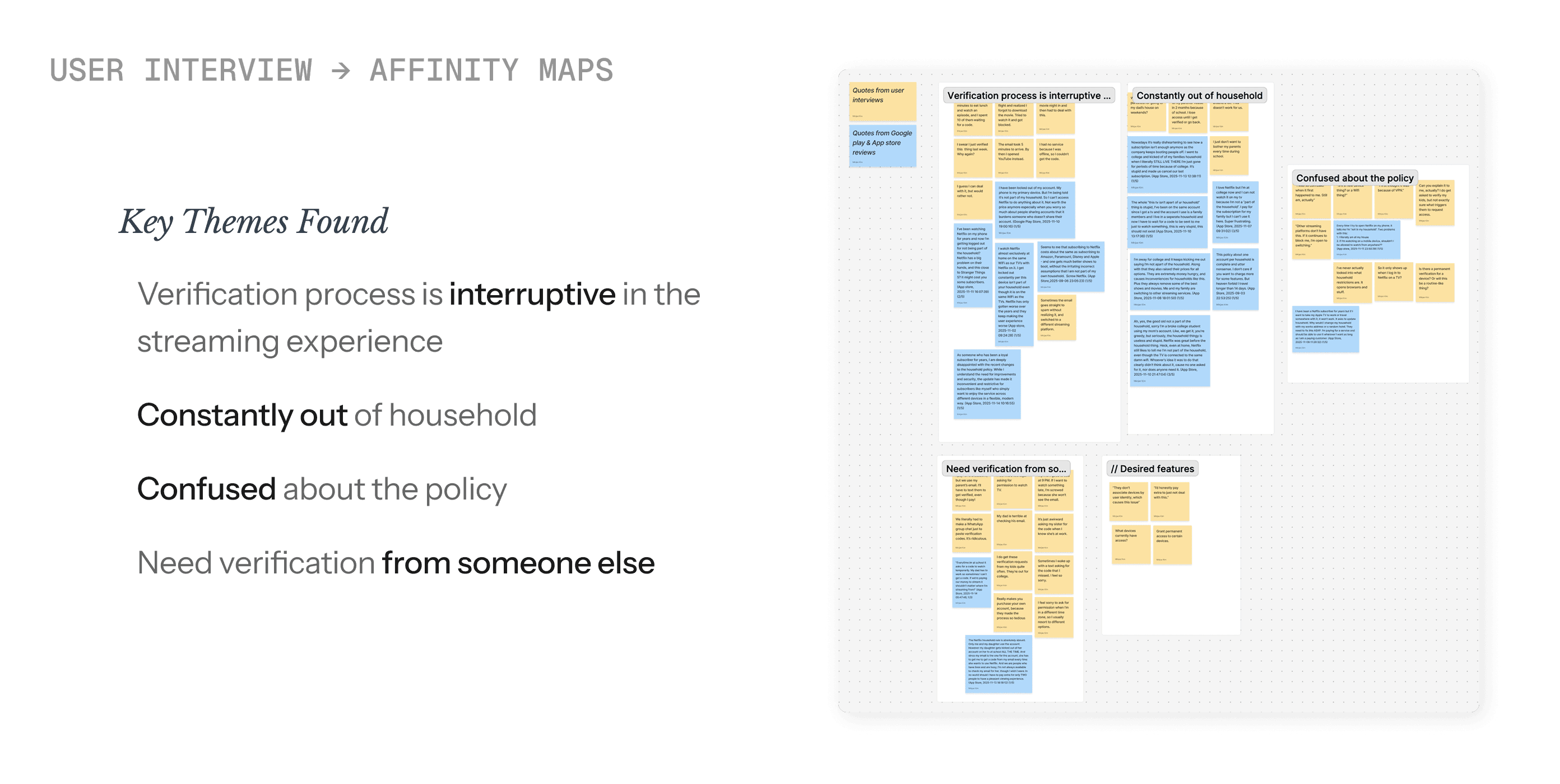
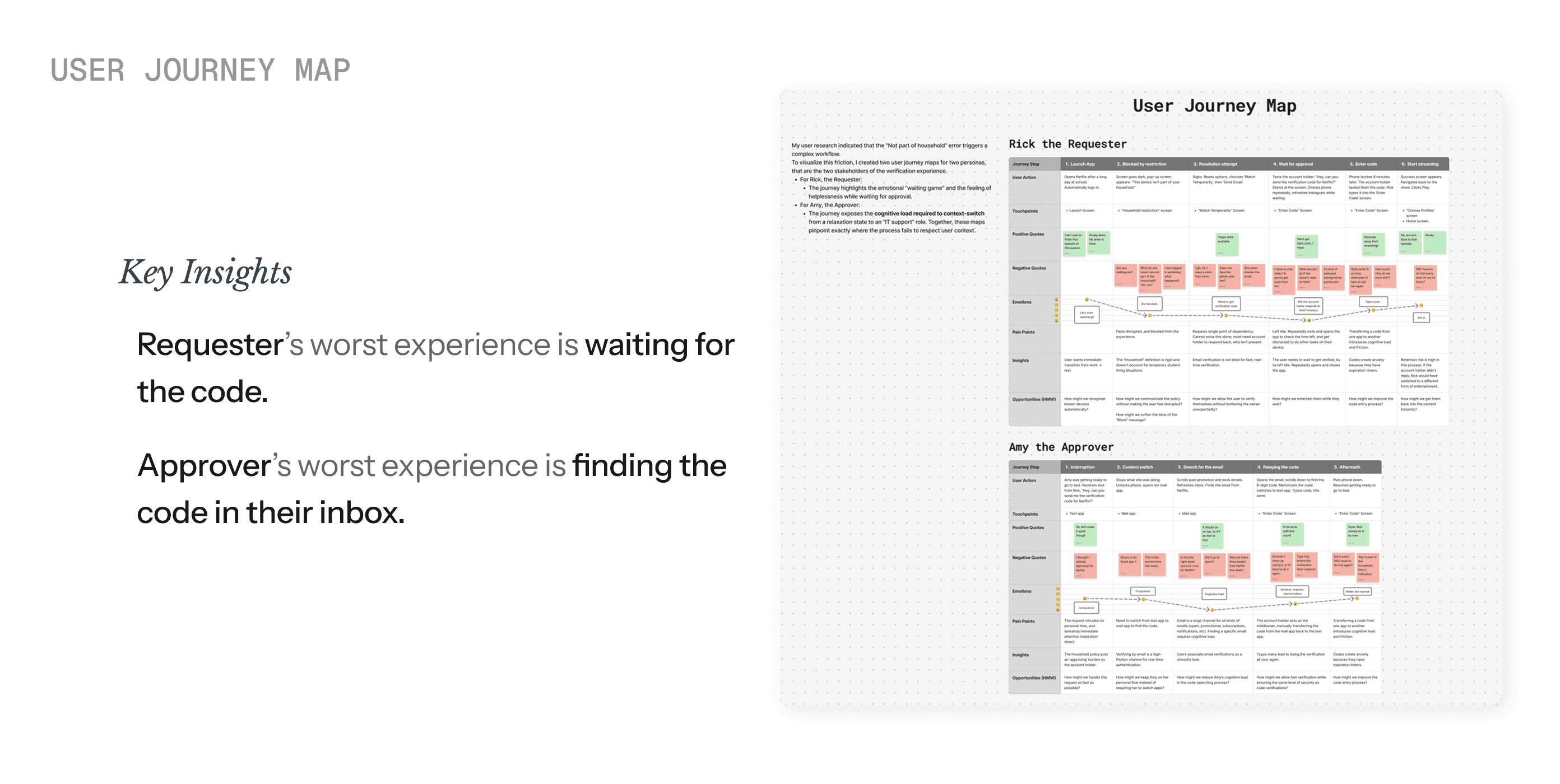
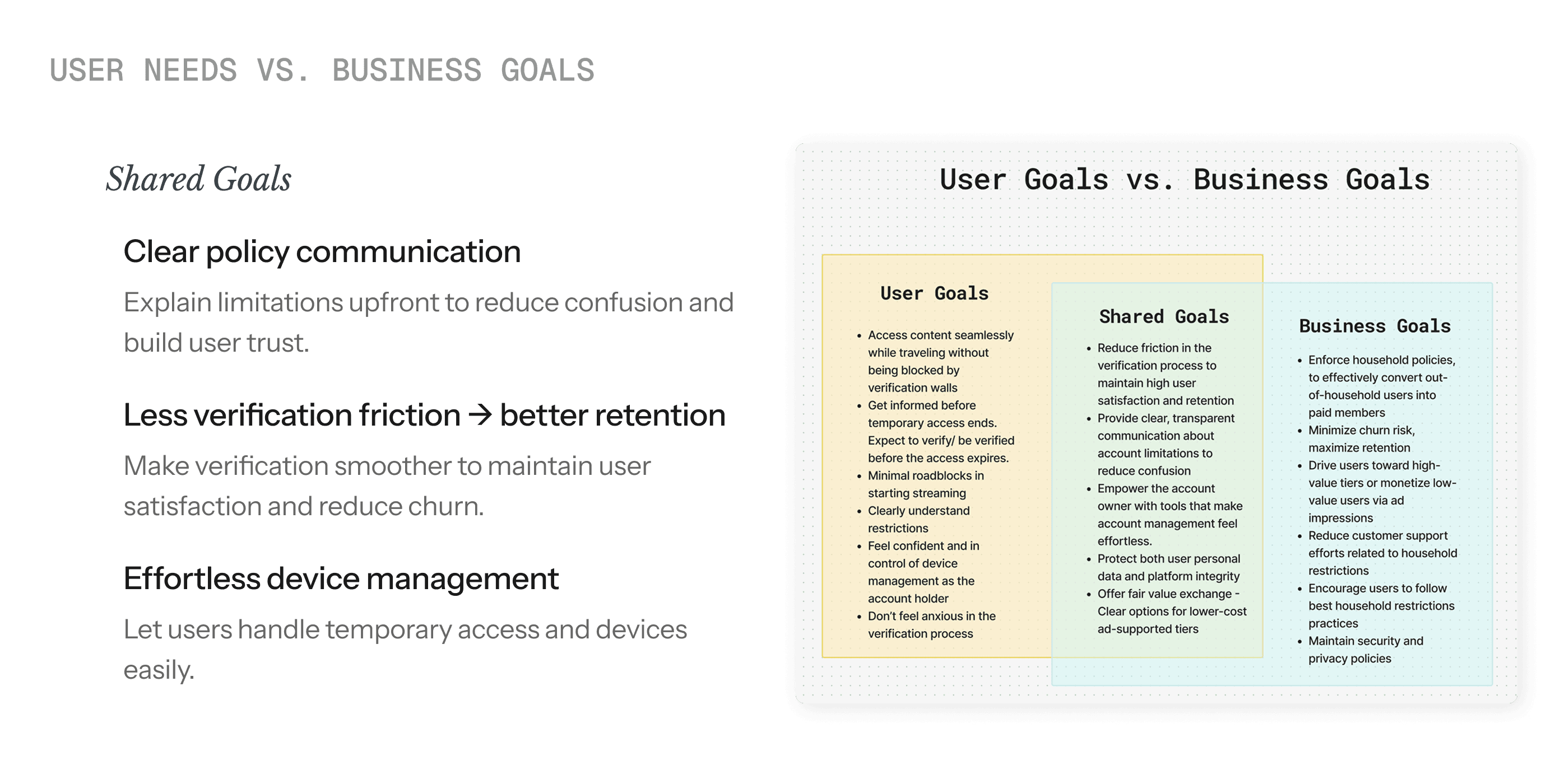
One approver holds all the power & responsibility - creating a bottleneck for the entire verification process.
Users feel stuck and helpless with no way to act while waiting for approval.
Users don't know what triggers verification or when it'll happen again.
Design Iterations
The following issues arose during the low fidelity user tests.
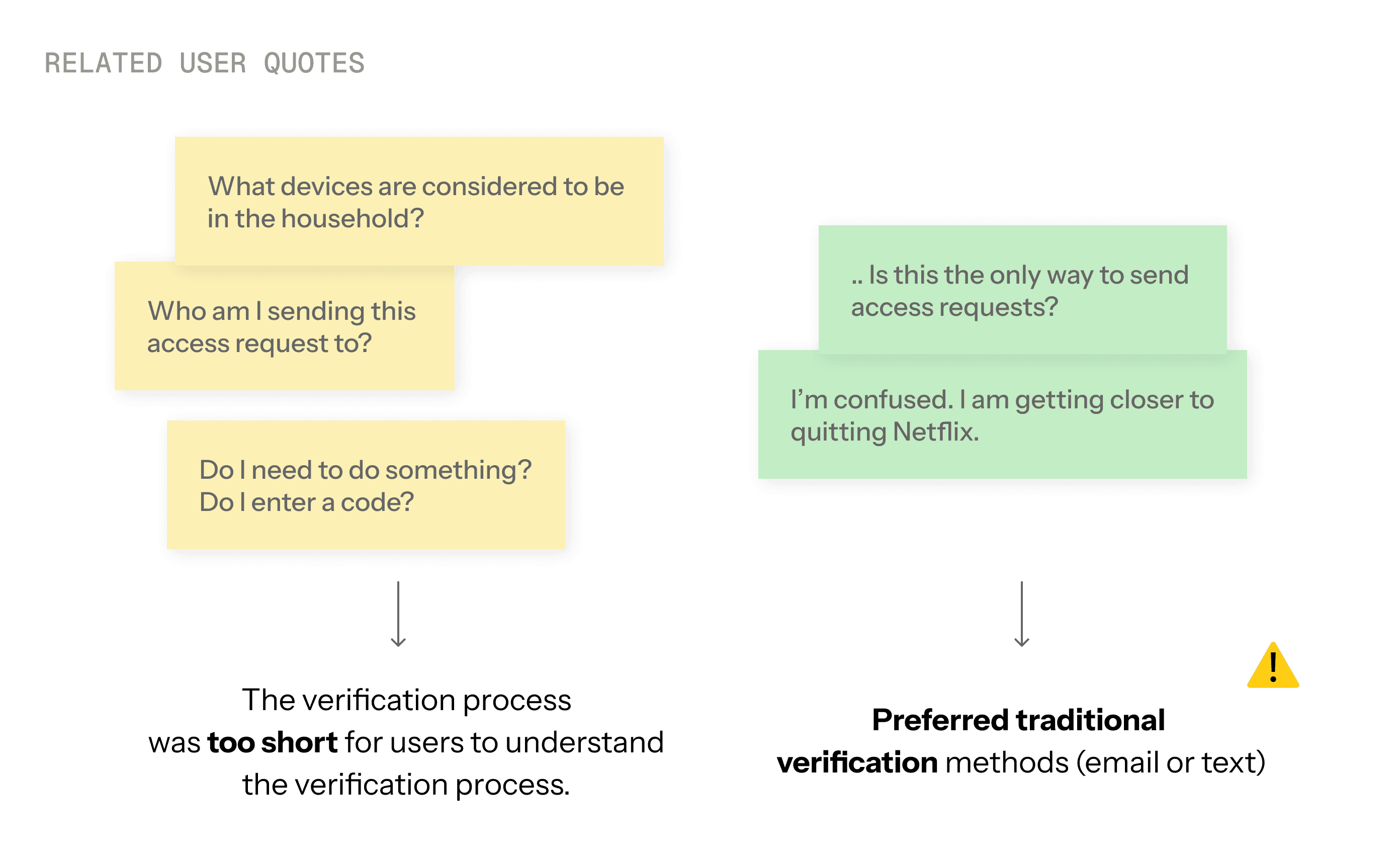
To make verification easier, I introduced a new verification method where all Household devices can verify access requests through the Netflix app. But unfortunately, this led to some confusion among users…
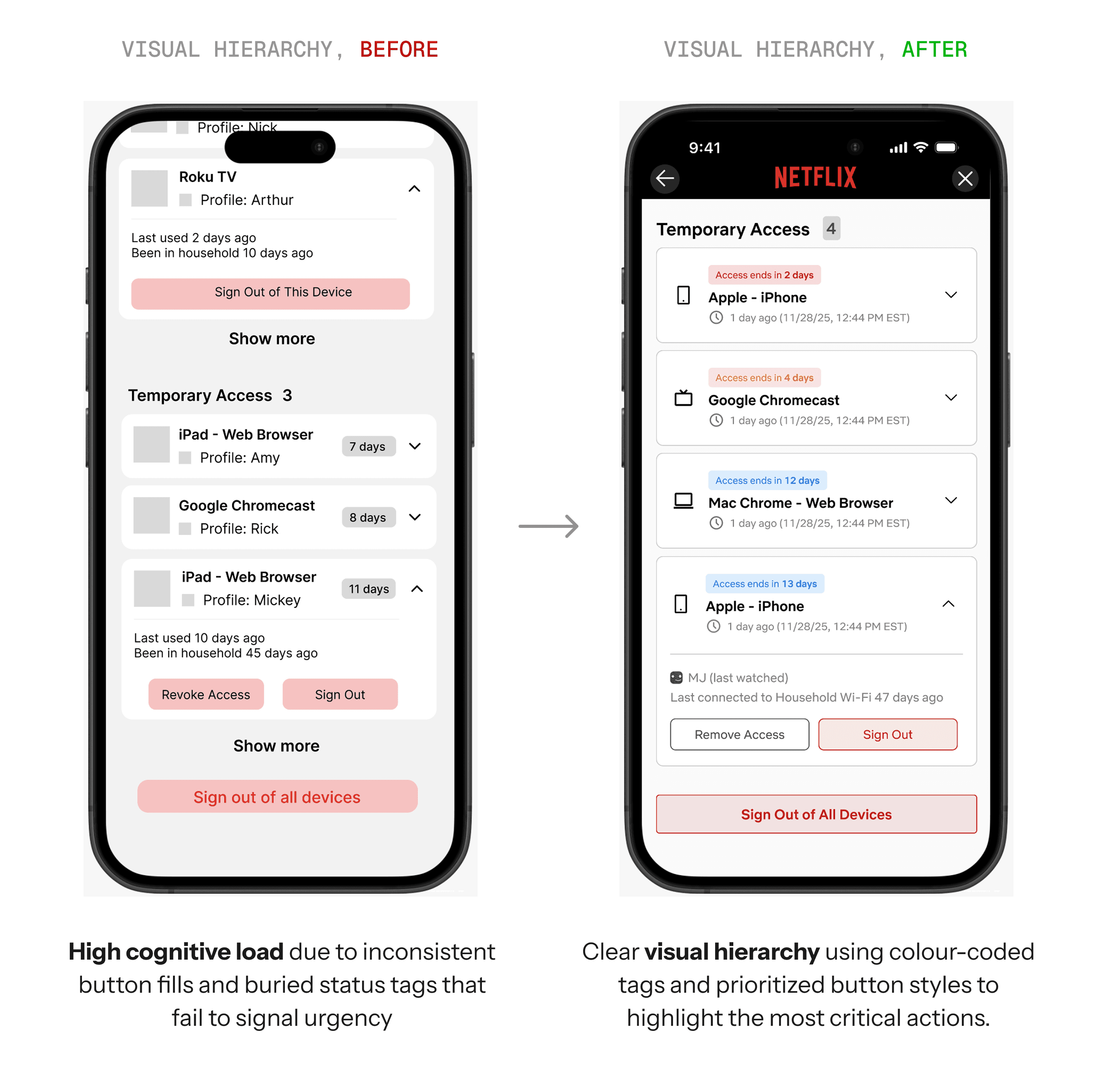
To make managing temporary access devices easier, I redesigned the device management page to organize devices by access type — separating Household devices with Temporary Access devices.
However, as the list of devices grew longer, users experienced higher friction when completing device management tasks due to the increased cognitive load.
To reduce the overwhelm, I added visual hierarchy on components to signal urgency, and stronger visual weight.
While wrapping up the user test, one participant asked…
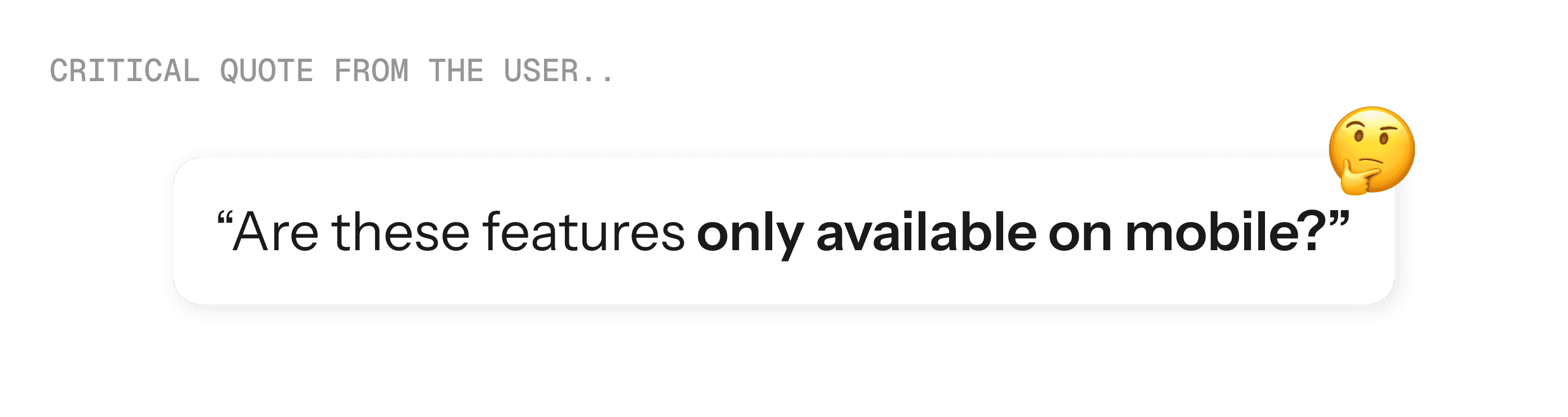
Actually, no! You are totally right. These new features should be accessed across any platforms.
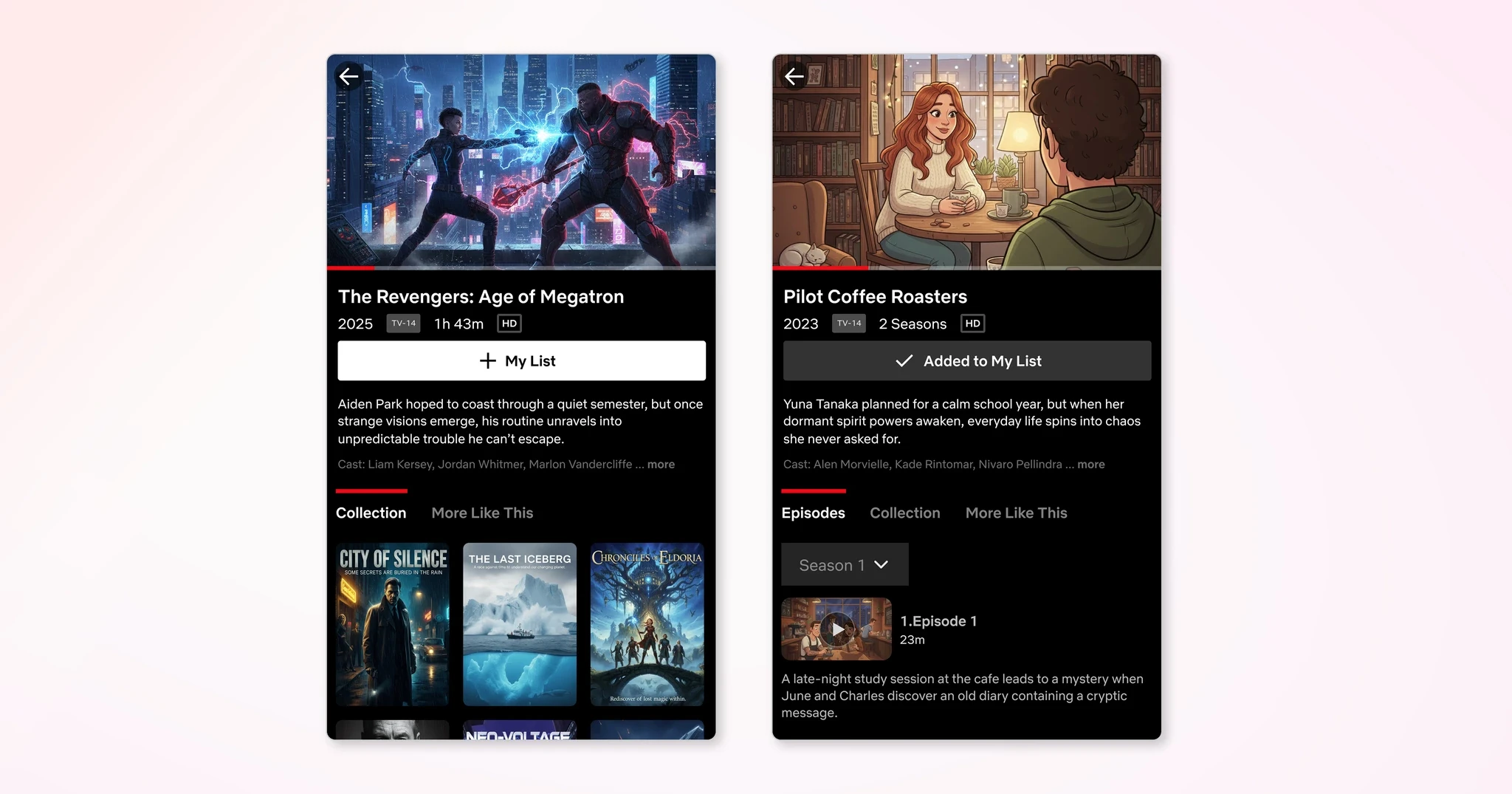
I expanded the requester flow and device management interfaces to TVs and Desktops.
While approvals remain mobile-only, users can now request access and manage their trusted devices from whichever platform they're using.
Final Design
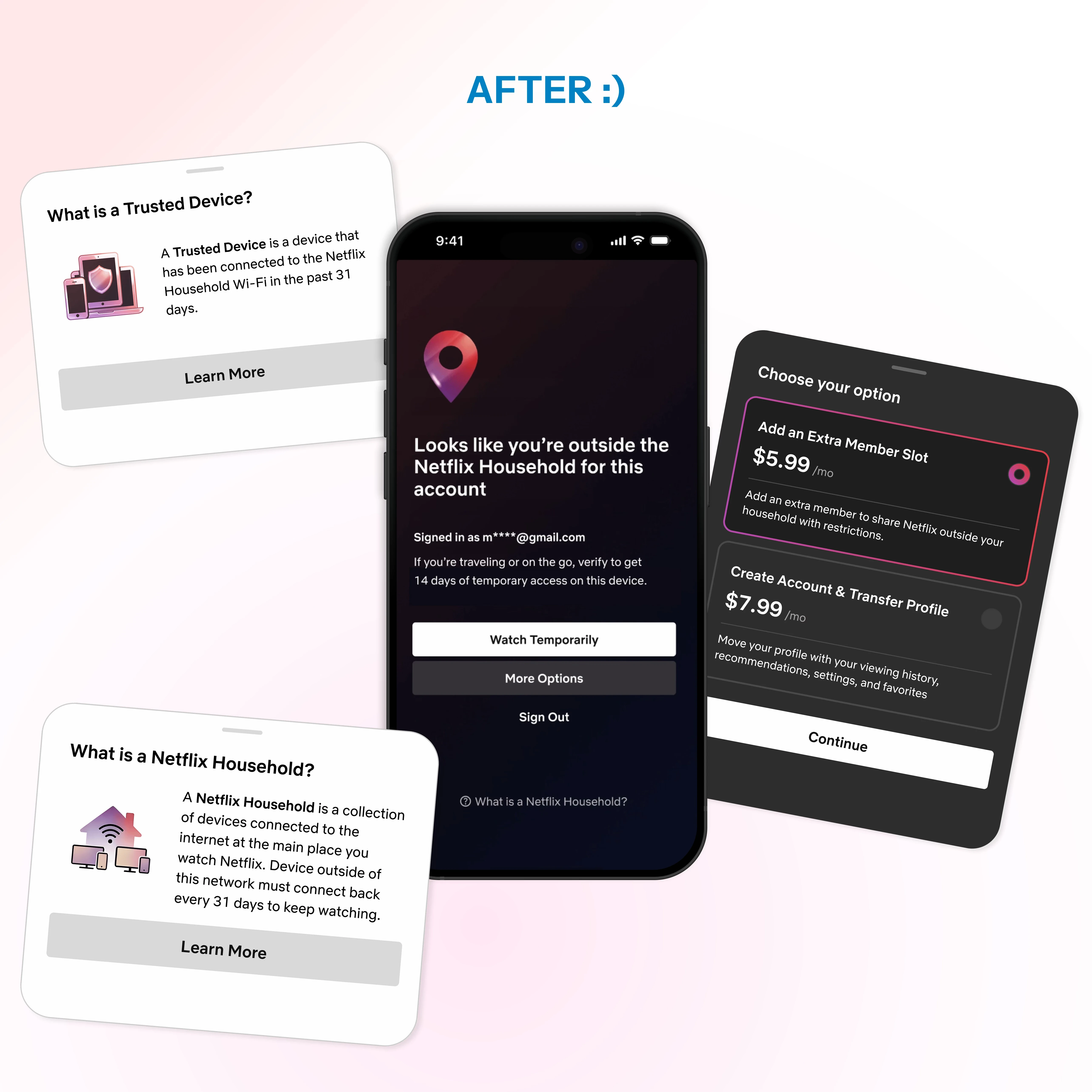
The approval burden is now shared across all household devices. No single person needs to chase down email codes.
Any device on your home Wi-Fi (last 31 days) can approve requests instantly in the app.
Browse trailers, read summaries, and build your watchlist while you wait to get approved. No more staring at blocked screens.
Plain language explains why restrictions happen. No help centre digging needed.
See which devices have temporary access and when it expires. Simple, transparent control has been implemented:
Original Design
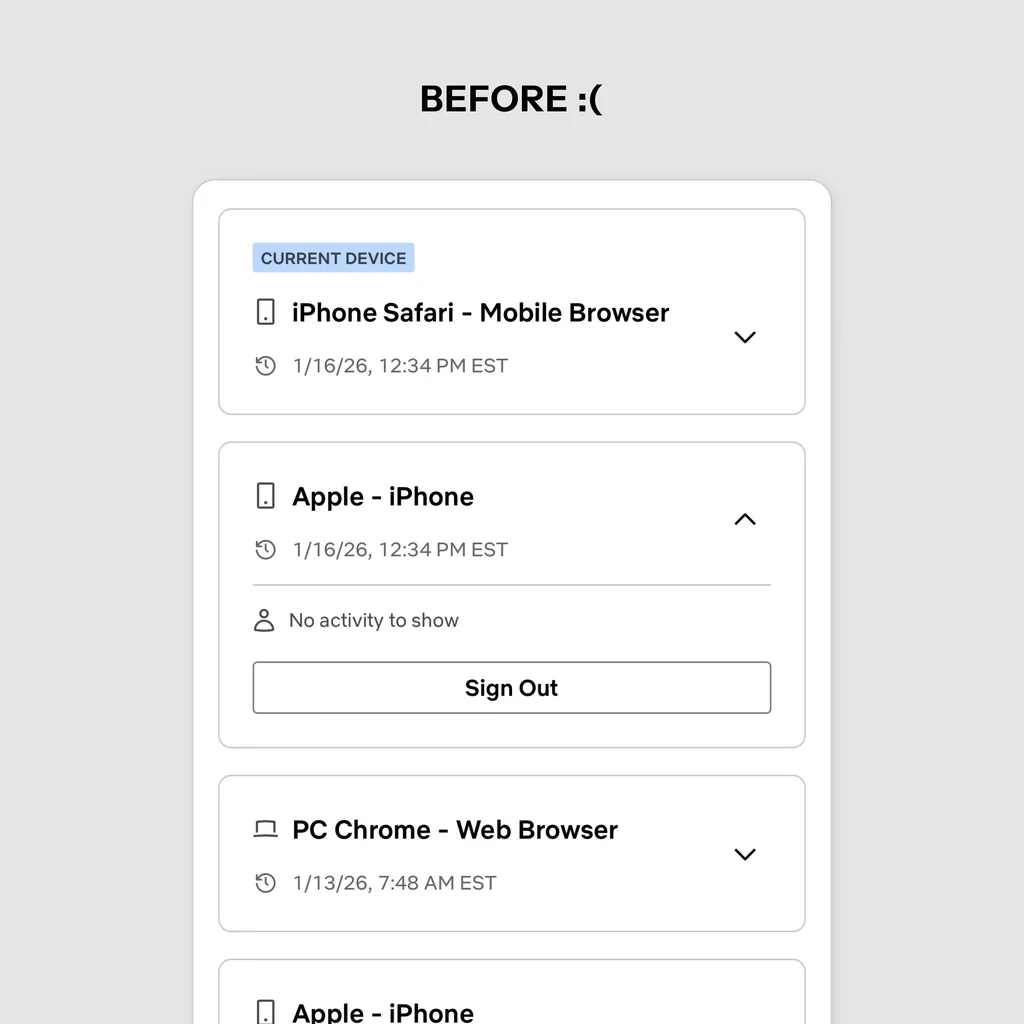
The basics worked: users could log out devices and see last active timestamps.
What didn't work was temporary access expiration tracking. Without it, users were blindsided when their temporary access expired.
New Design
I grouped devices by access type and added countdown tags showing days remaining for temporary access.
Users can now see at a glance what's about to expire.
Notifications and banners keep you informed before your temporary access ends.
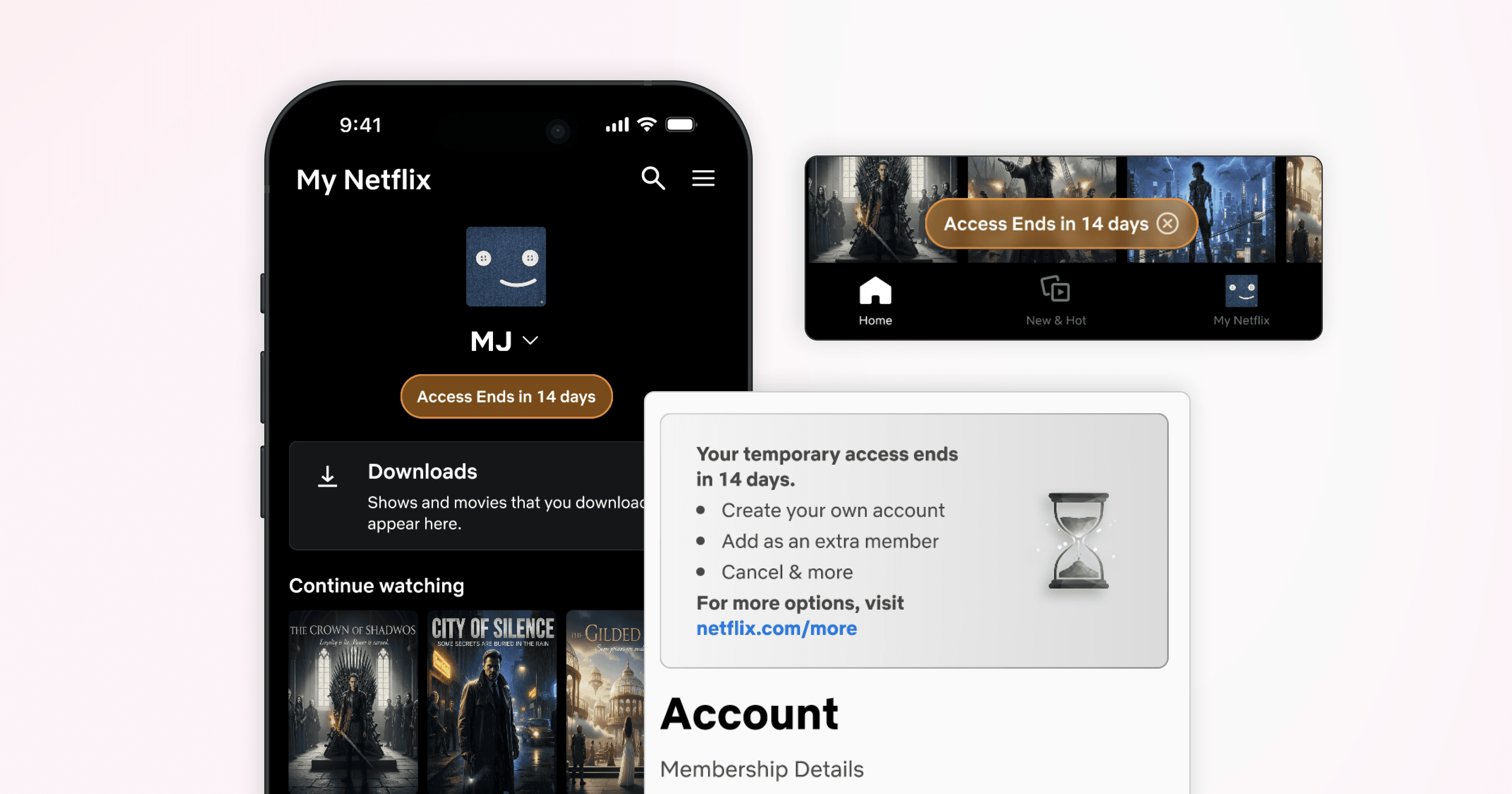
Enjoy the new features on your favourite devices.
Outcomes
Did the core pain points get resolved? Yes, they sure did!
By conducting a user test on the original design and on the redesign, significant improvements were uncovered.
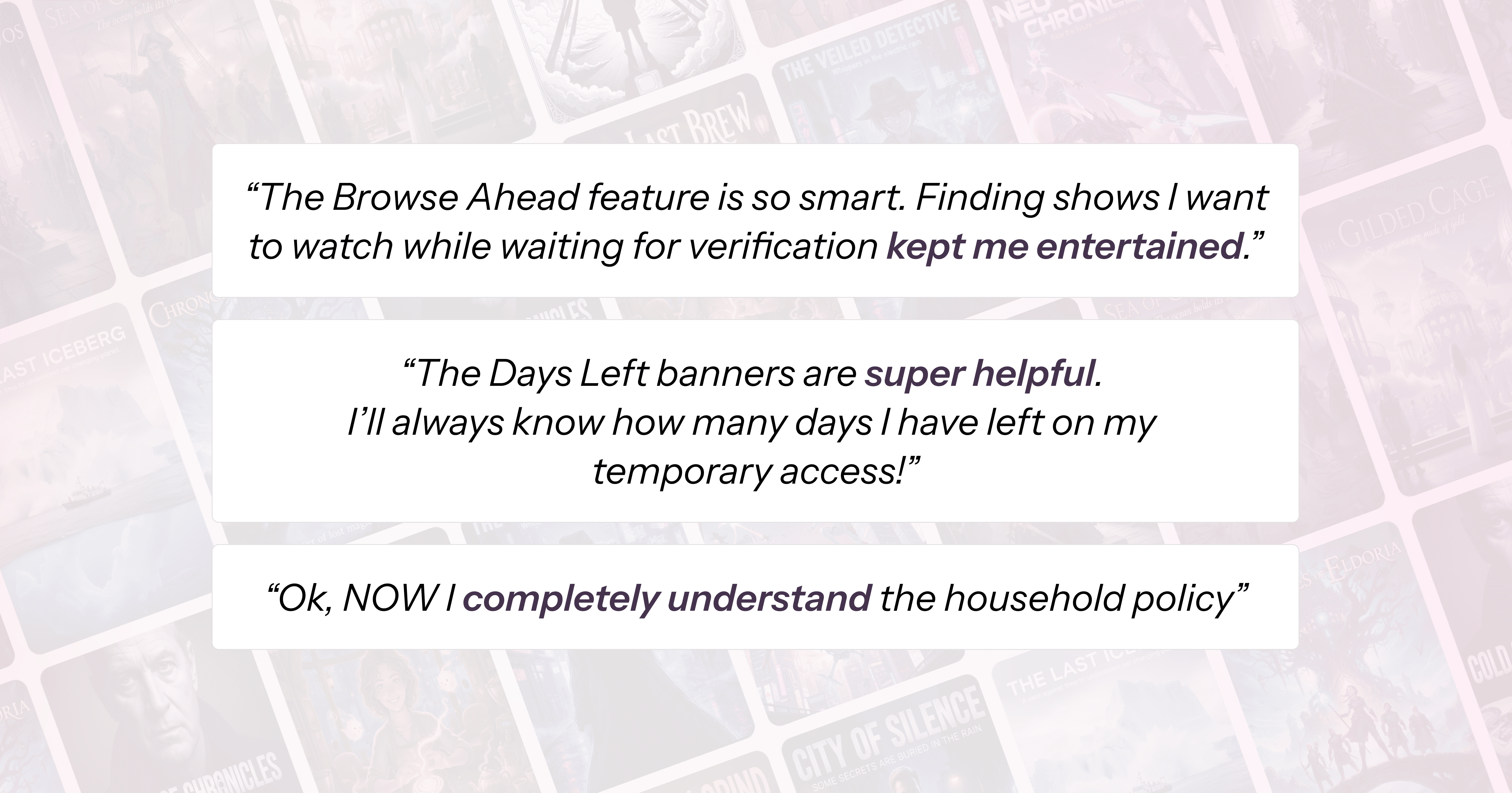
These results were unexpectedly positive and showed my redesign was effective. Users loved the new features, and hoped them to be launched ASAP!
Reflection
I had to redo a user interview and a user test because I lost track of what to take note of. A vague project structure caused me to lose focus on what was actually important.
With repetitive user test and user interviews, I often had to circle backwards due to new insights found. I've learnt to embrace the uncertainty and room for improvement. Sometimes, going backwards is the way forward!