Netflix • COncept 2025
Redesign outcomes
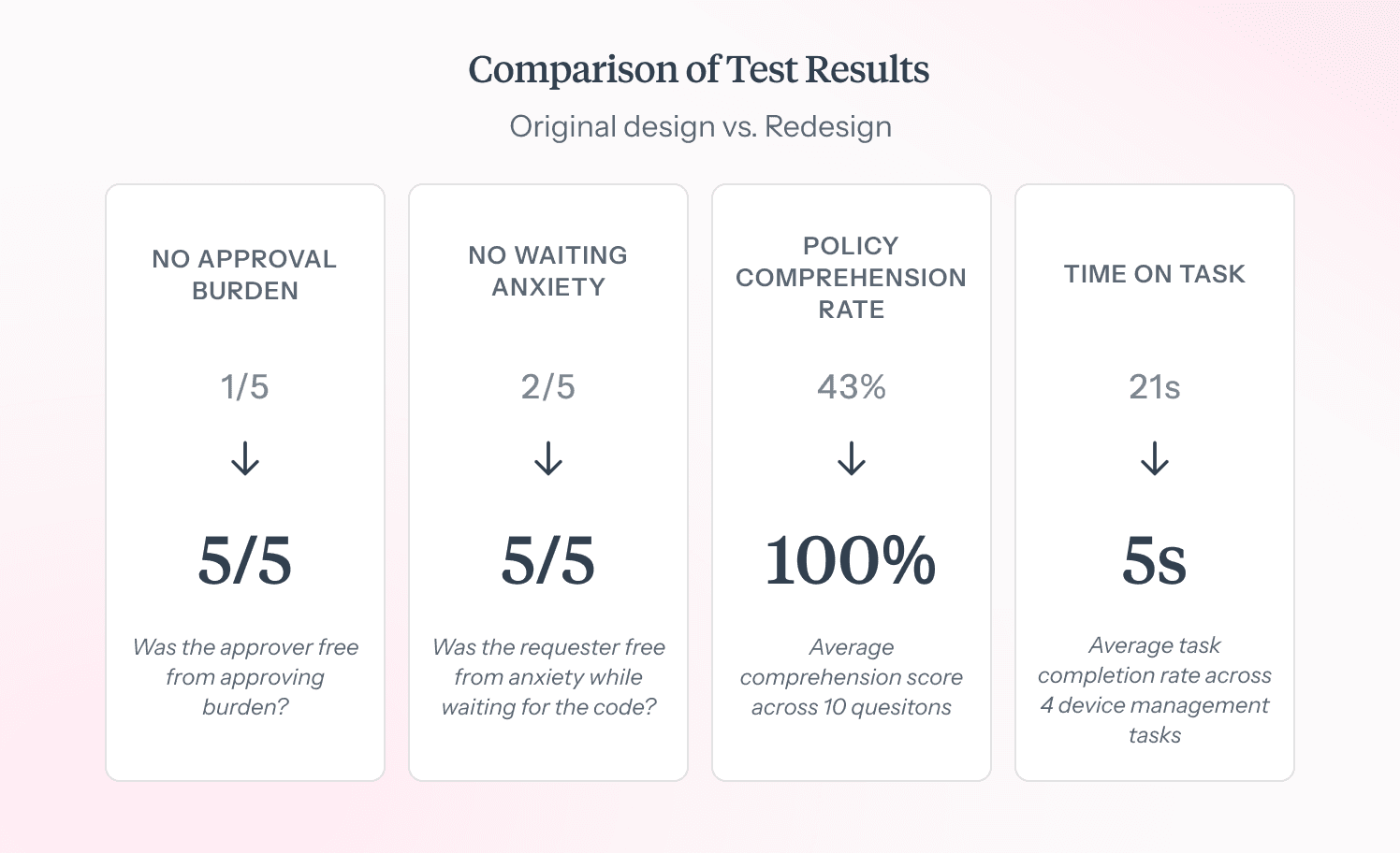
No Waiting Anxiety
In users reporting no anxiety while waiting to get verified (2/5 -> 5/5)
132% Increase
In policy comprehension rate
78% Reduction
In average task completion time (21s -> 5s)
Role
Product Designer
TImeline
Nov - Dec 2025
Skills
UI/UX Design, User Testing, Prototyping, AI
At a glance
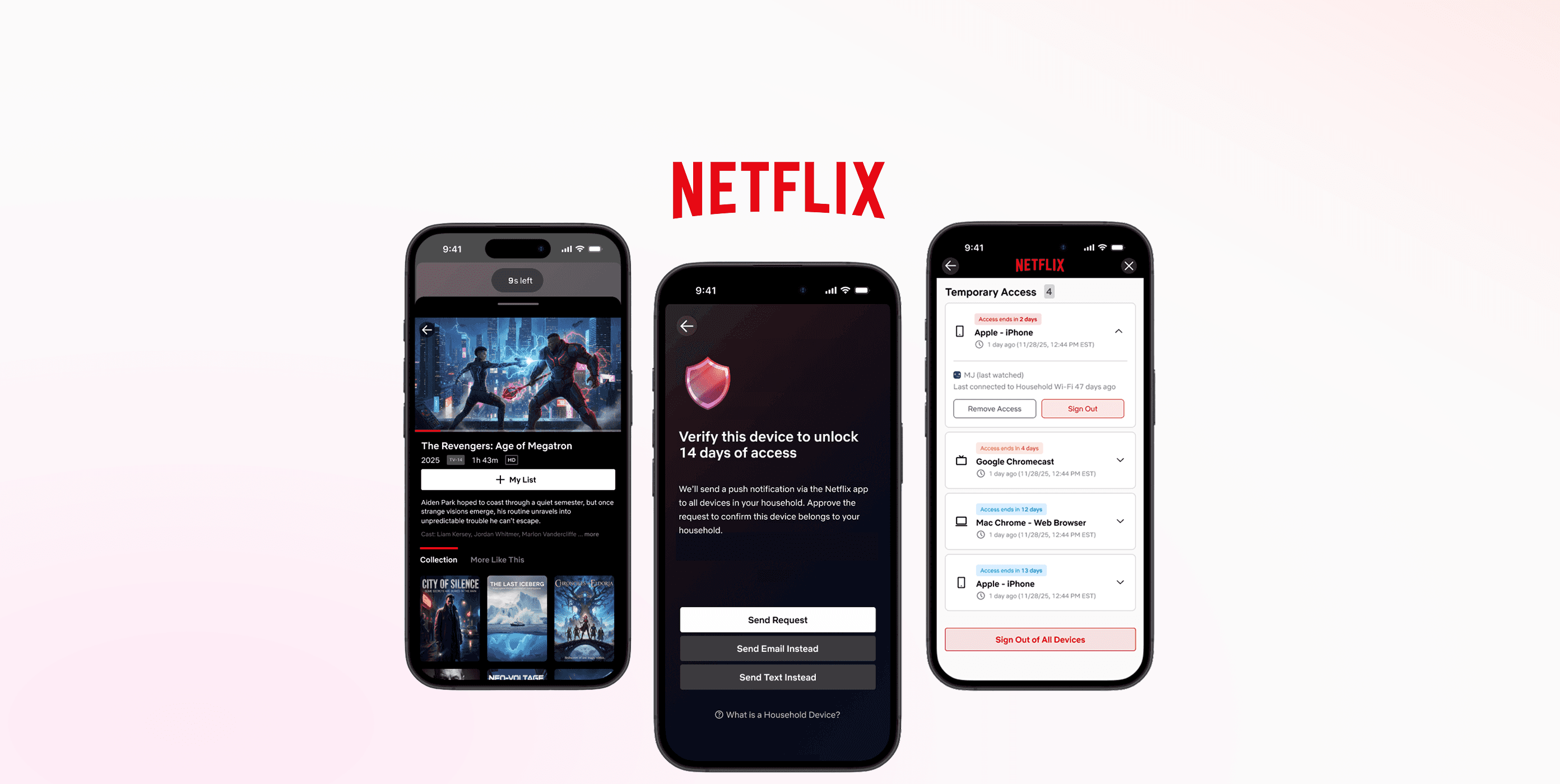
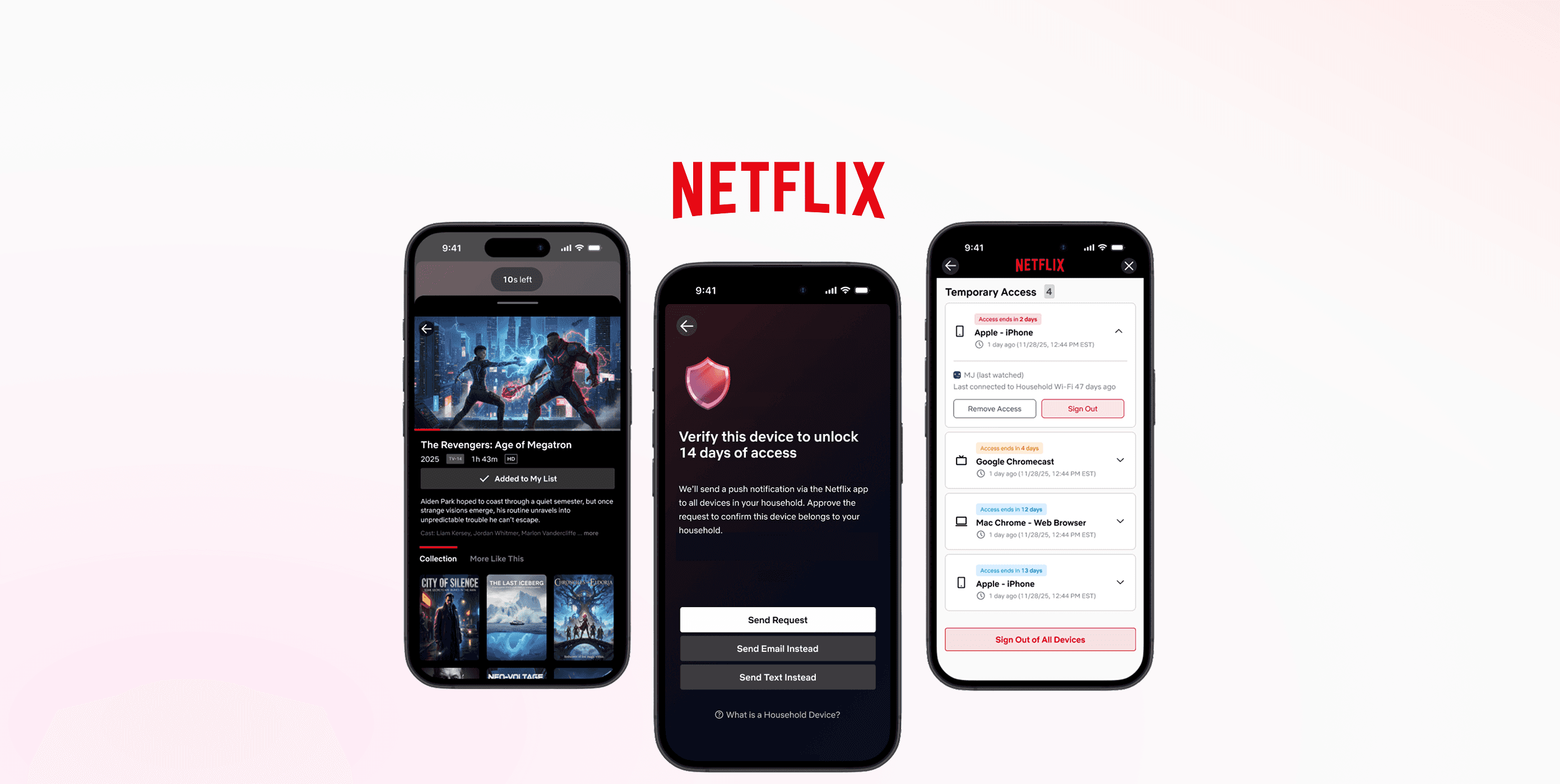
Introducing the new clustered push notification verification method. Any household devices can approve your temporary access request.
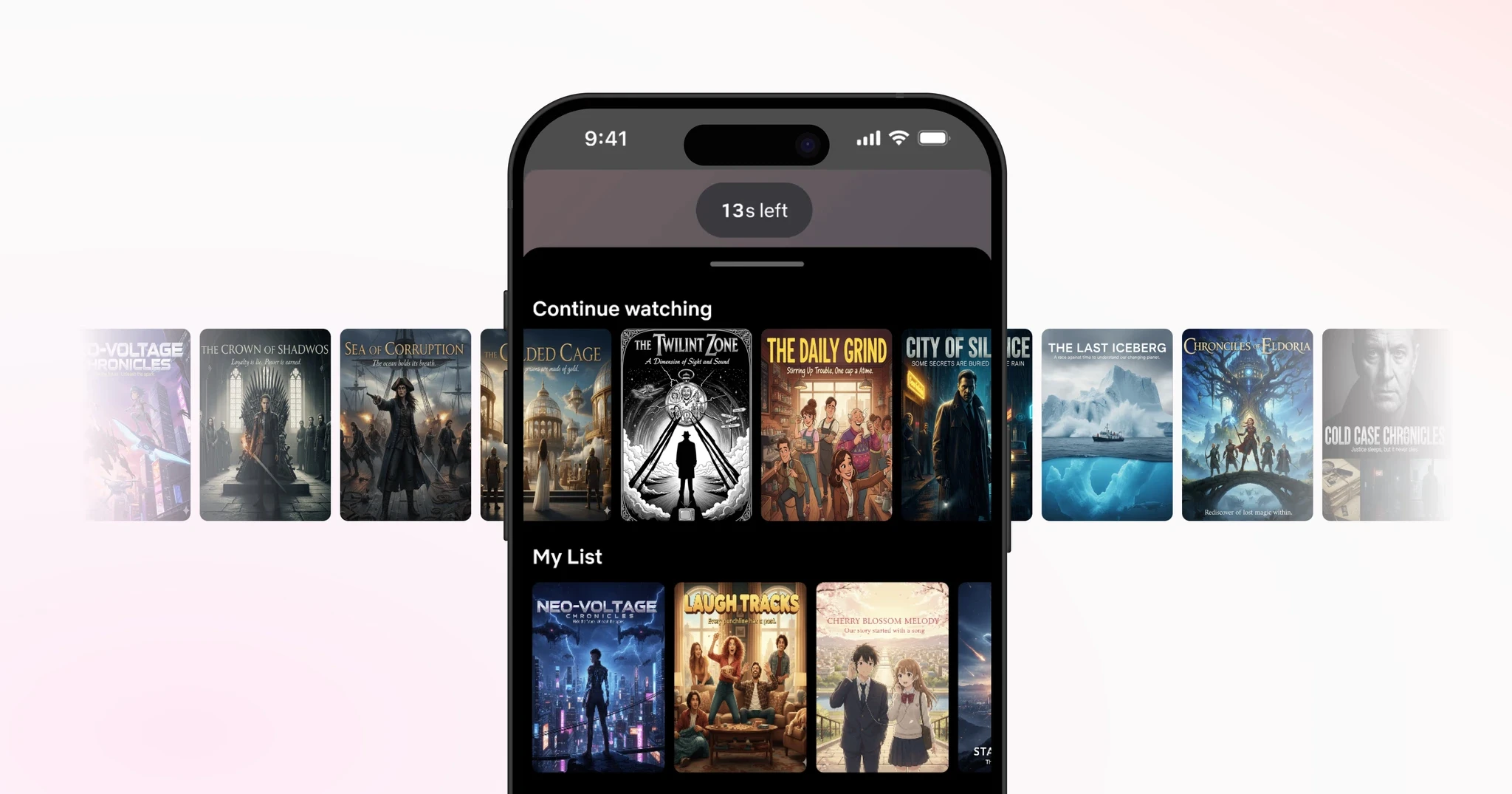
'Browse Ahead' feature, for you to browse and add titles to your watchlist while waiting to get verified.
Problem
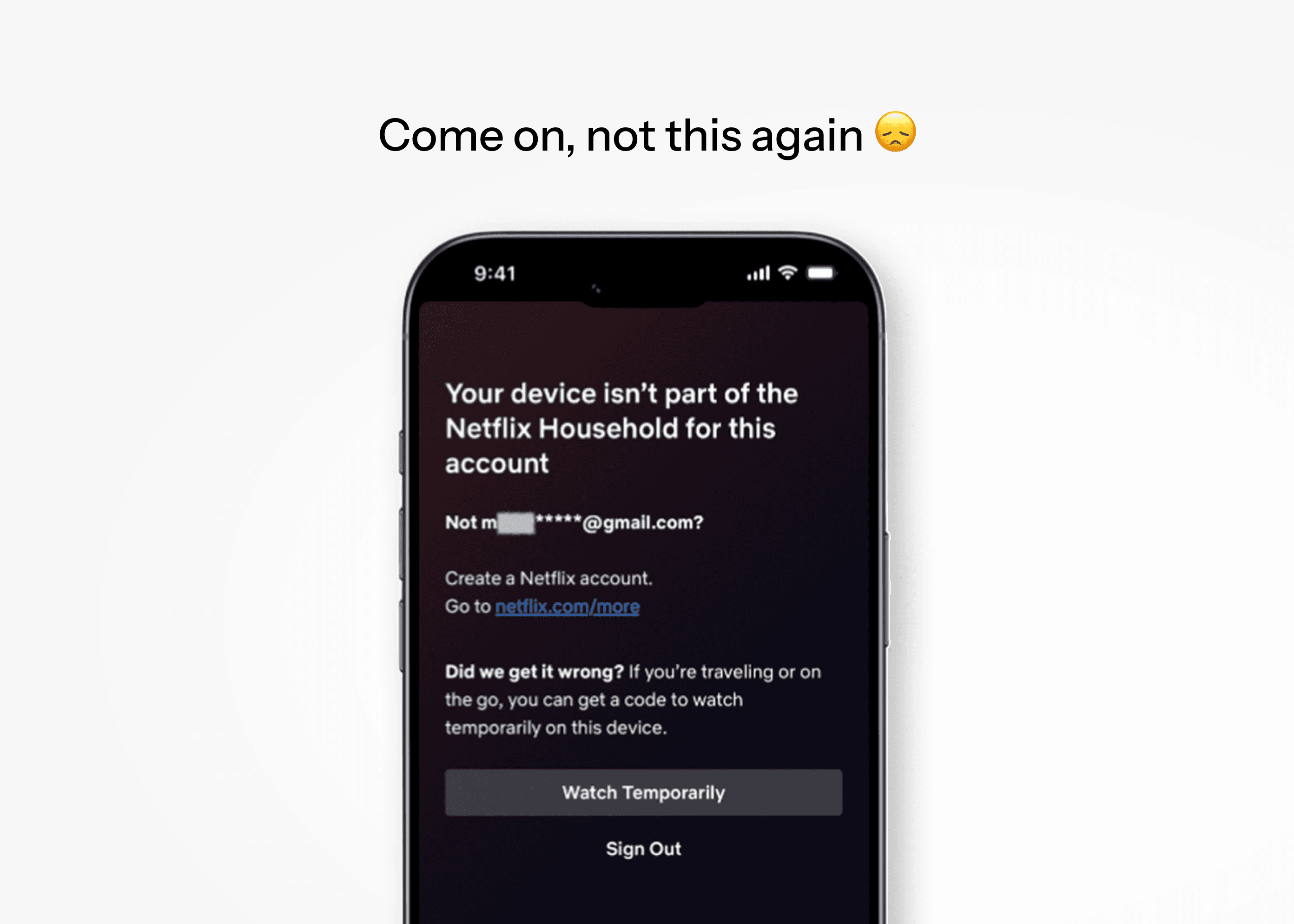
Members of the Kim household are heavy Netflix users.
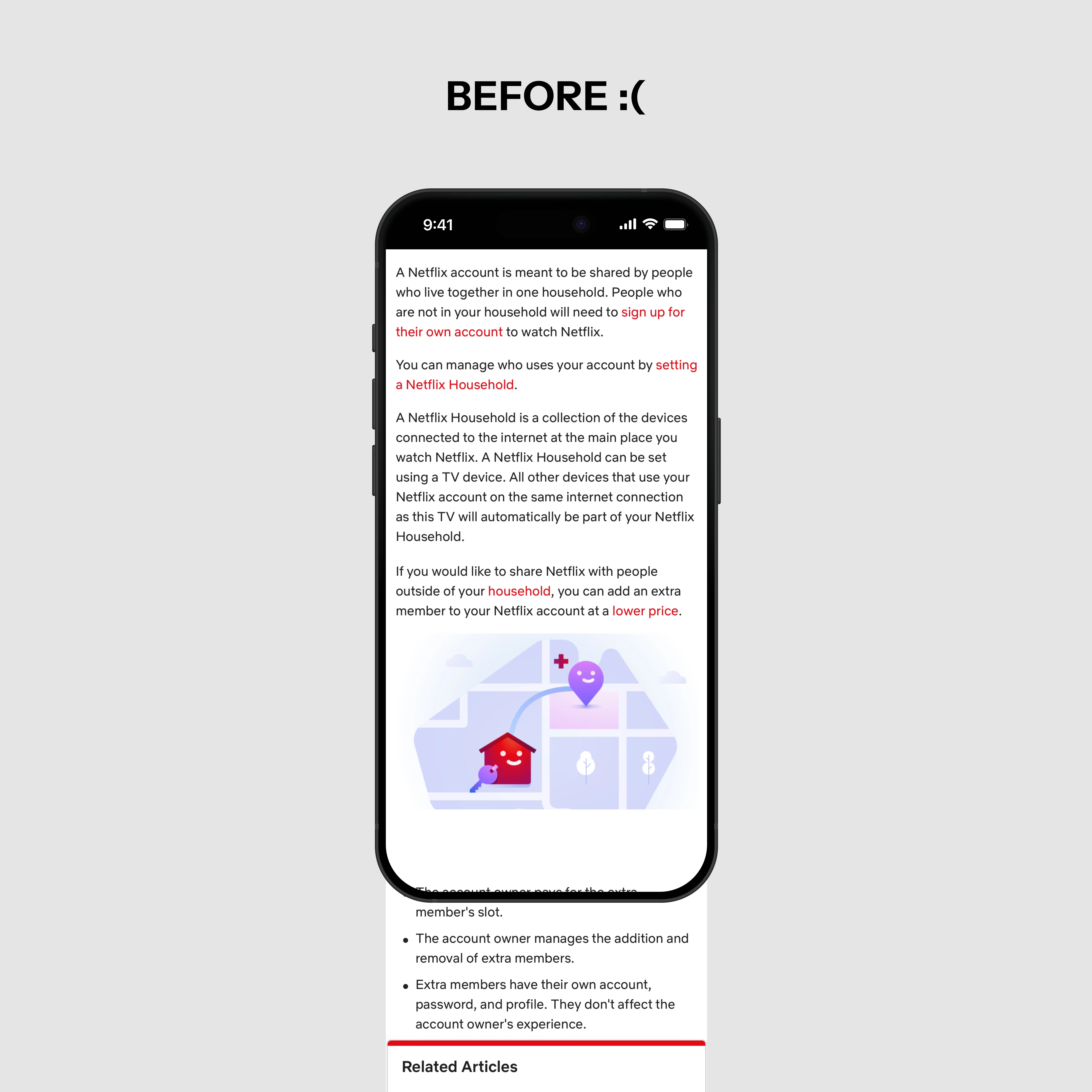
But every once in a while, someone gets locked out for not connecting to home WiFi in the past month.
Regaining access requires a verification code via email/text, relayed through the account owner, granting only 2 weeks of access before repeating.
Hmm…
Is this a pain just for us?
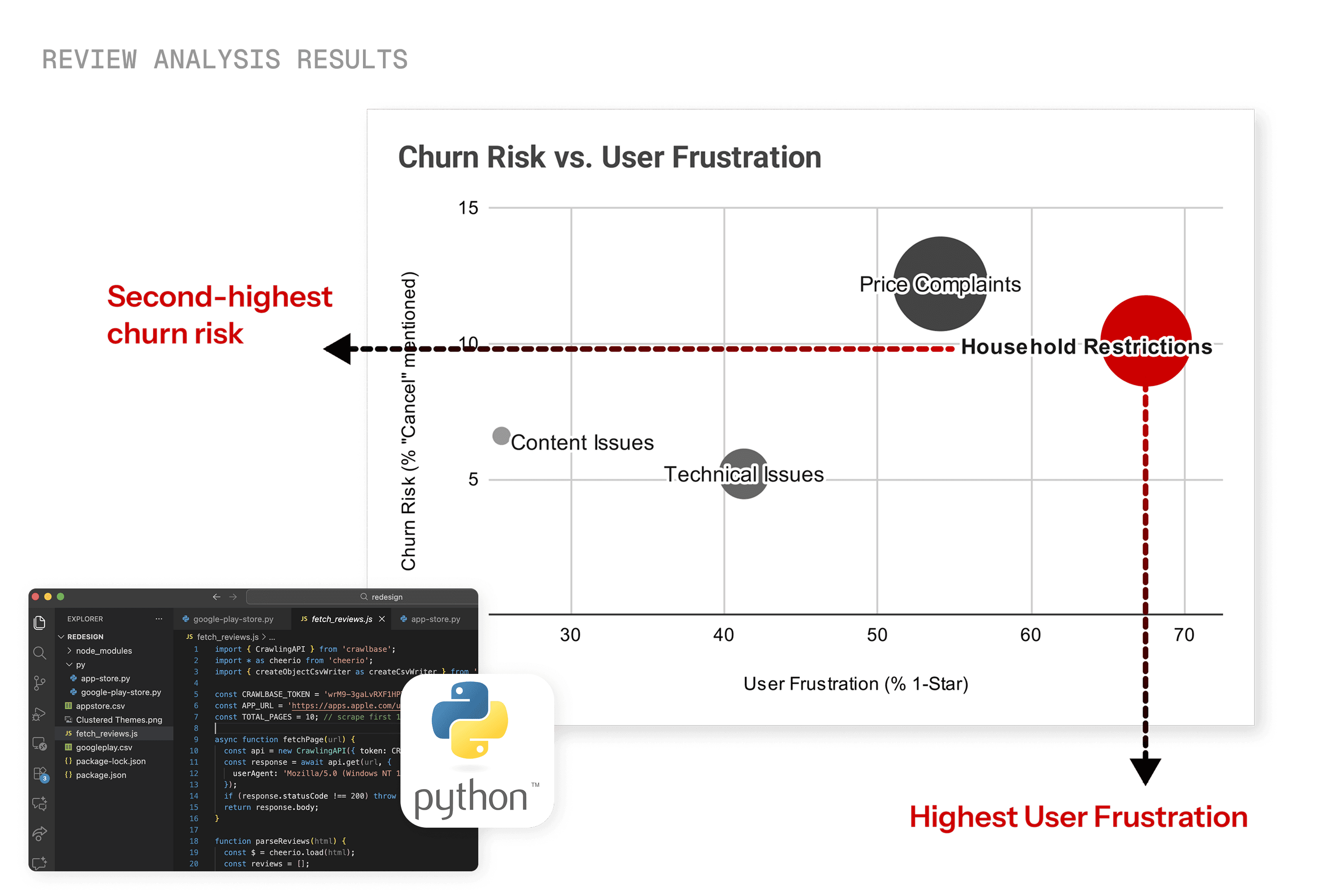
After analyzing 2,000+ Google Play Store and App Store reviews with Gemini, I found that out of all complaint categories, Household Restriction had:
highest user frustration levels, and
second-highest cancellations mentioned.
User Testing
Mock-up of current design, simulating verification via email.
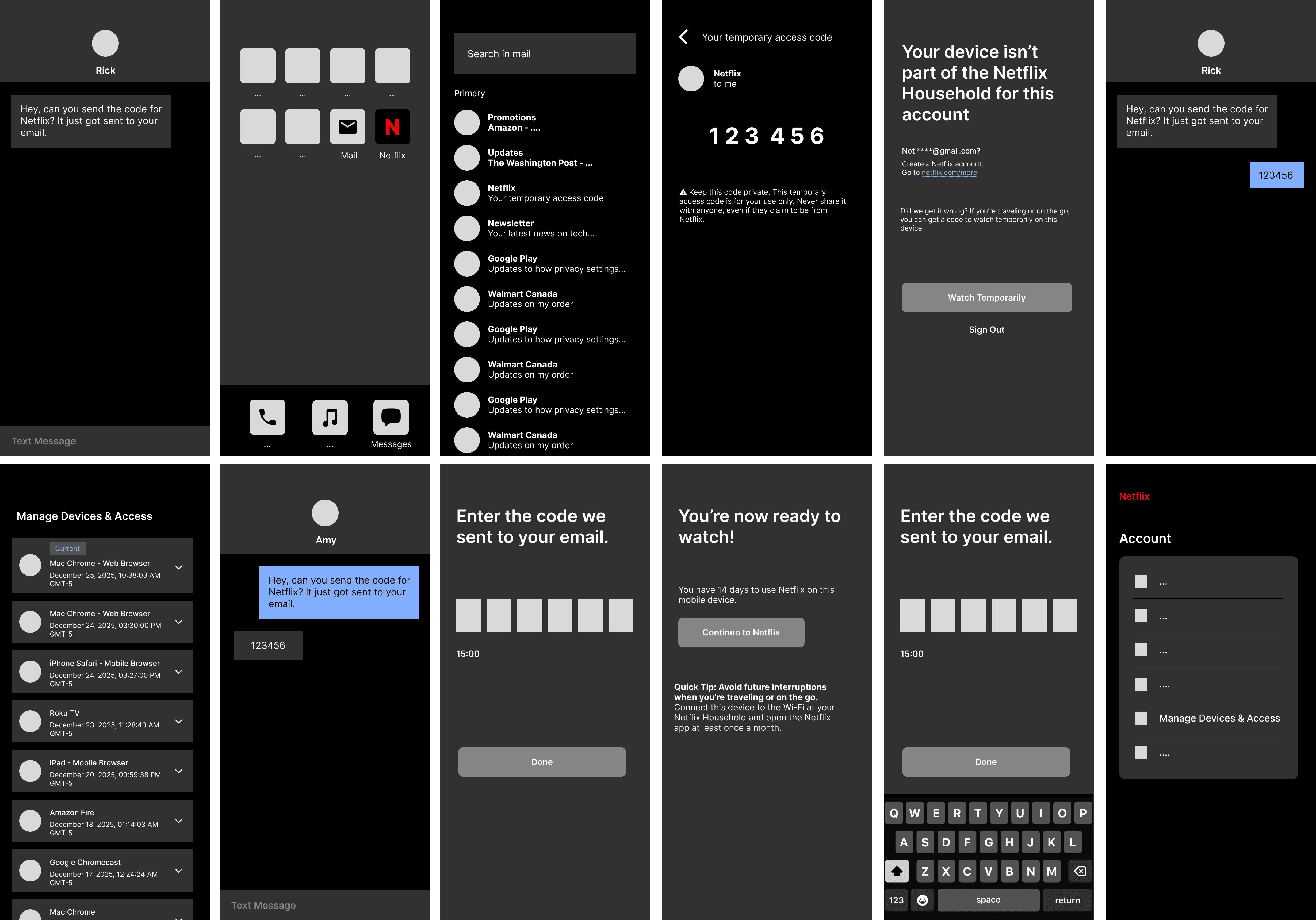
To uncover pain points, I conducted three 30-minute user tests on a mock-up of Netflix's current verification flow with the following script, establishing clear objectives to ensure actionable, user-centered insights.
1. Introduction
What do users already know about Netflix's household policy? Explore account-sharing habits, user needs, and pain points.
2. Complete 10 Tasks
Users work through the full verification flow. Observe where they hesitate, get stuck, or push through the wrong path.
3. Policy Questionnaire
7 targeted questions to see how well users actually understand the restriction policy — and where the language stops making sense to them.
Test results revealed the obstacles users were facing.
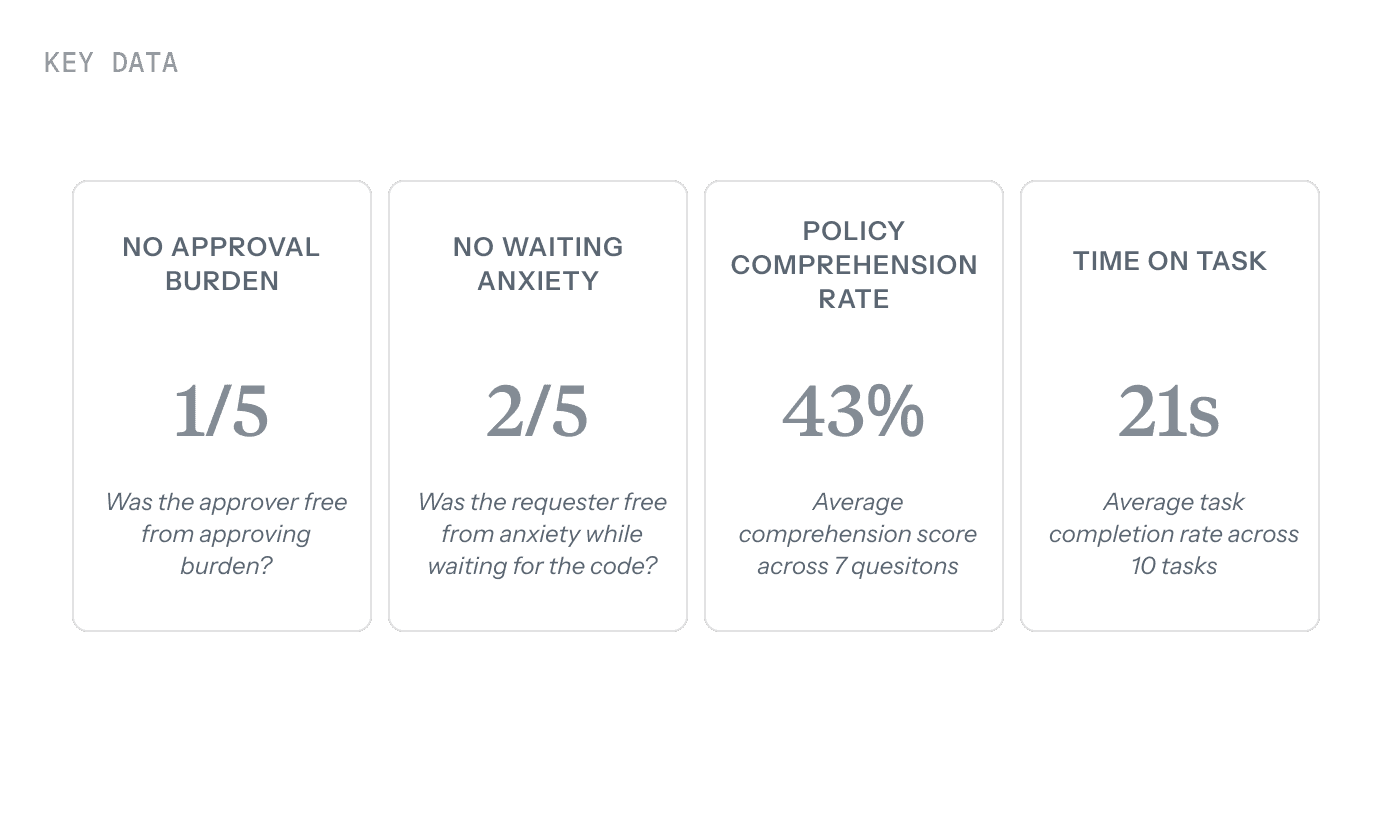
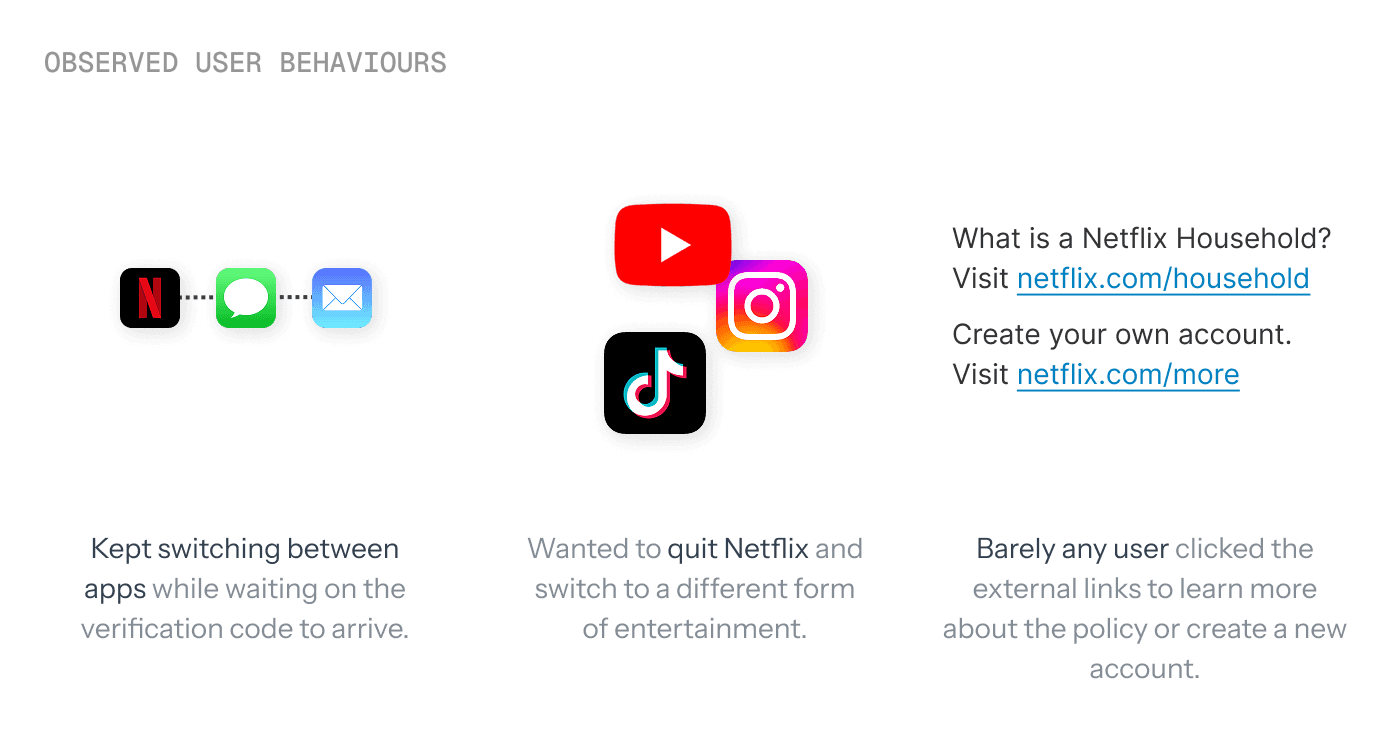
Bottom line: The current system is a tedious user experience — users are left doing too much work just to watch their favourite show.
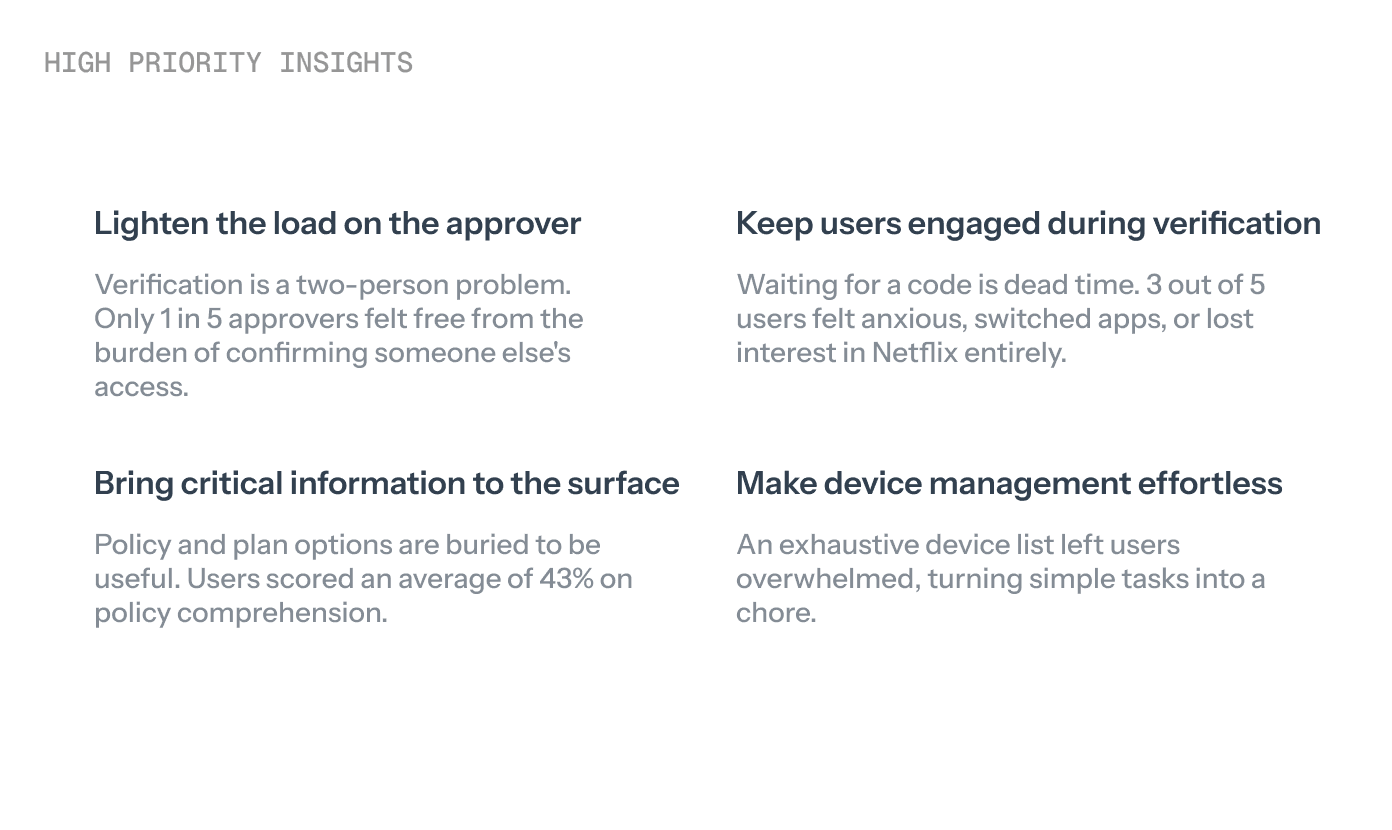
If so, how might we satisfy Netflix’s password-sharing crackdown needs without creating a stressful experience for the user?
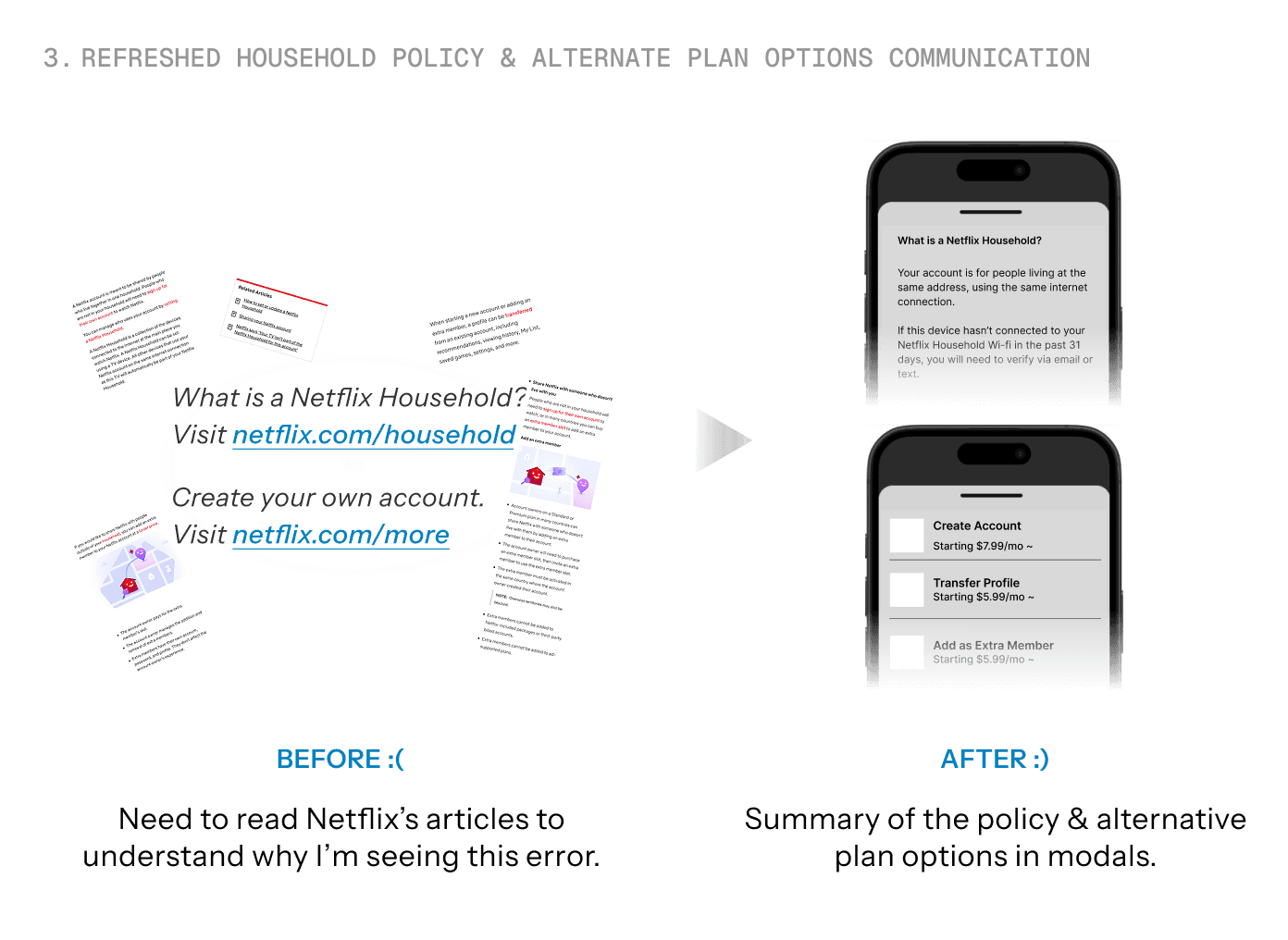
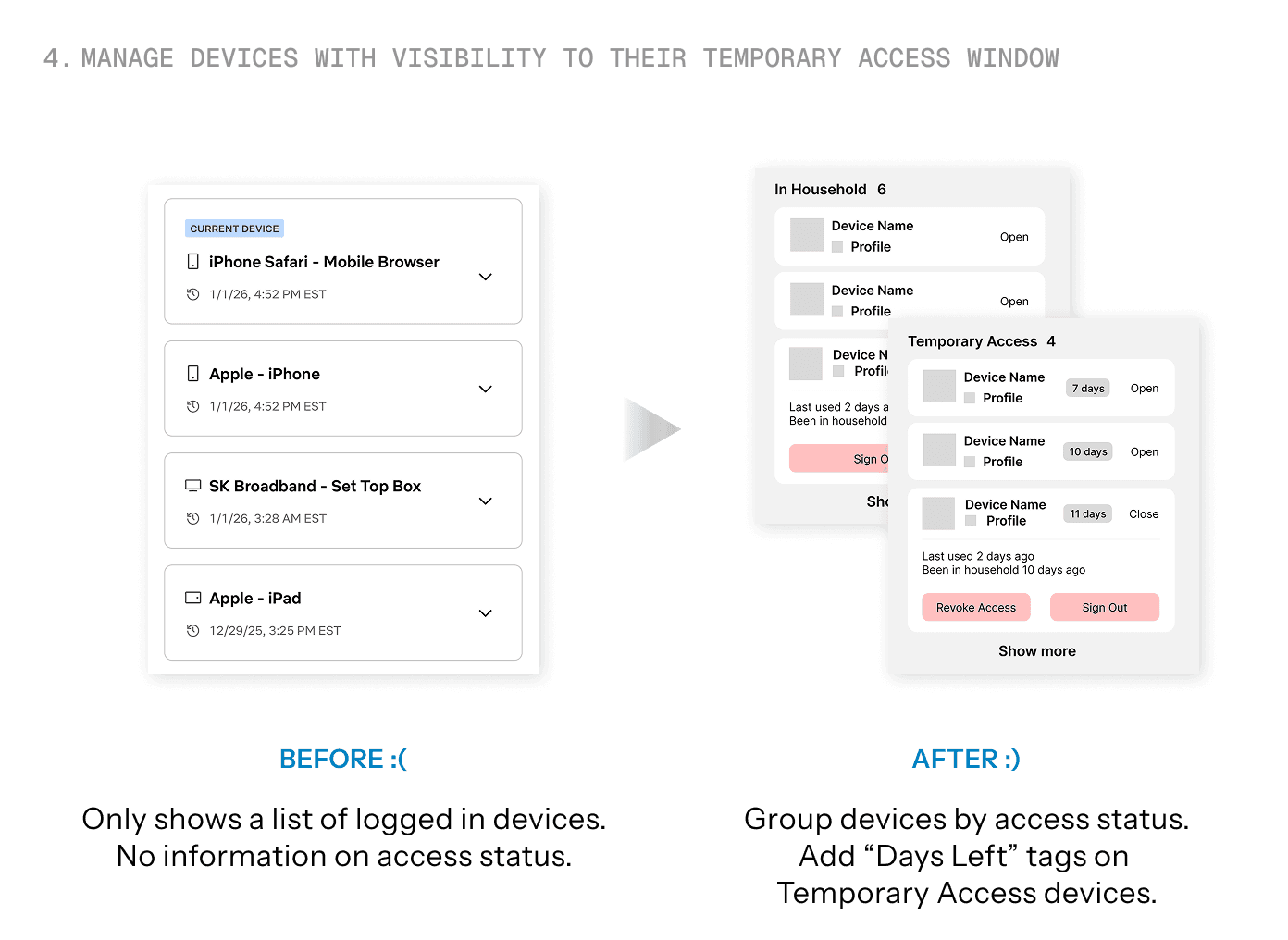
After crazy-8 sessions, I finalized on the following 4 solutions to develop and iterate on.
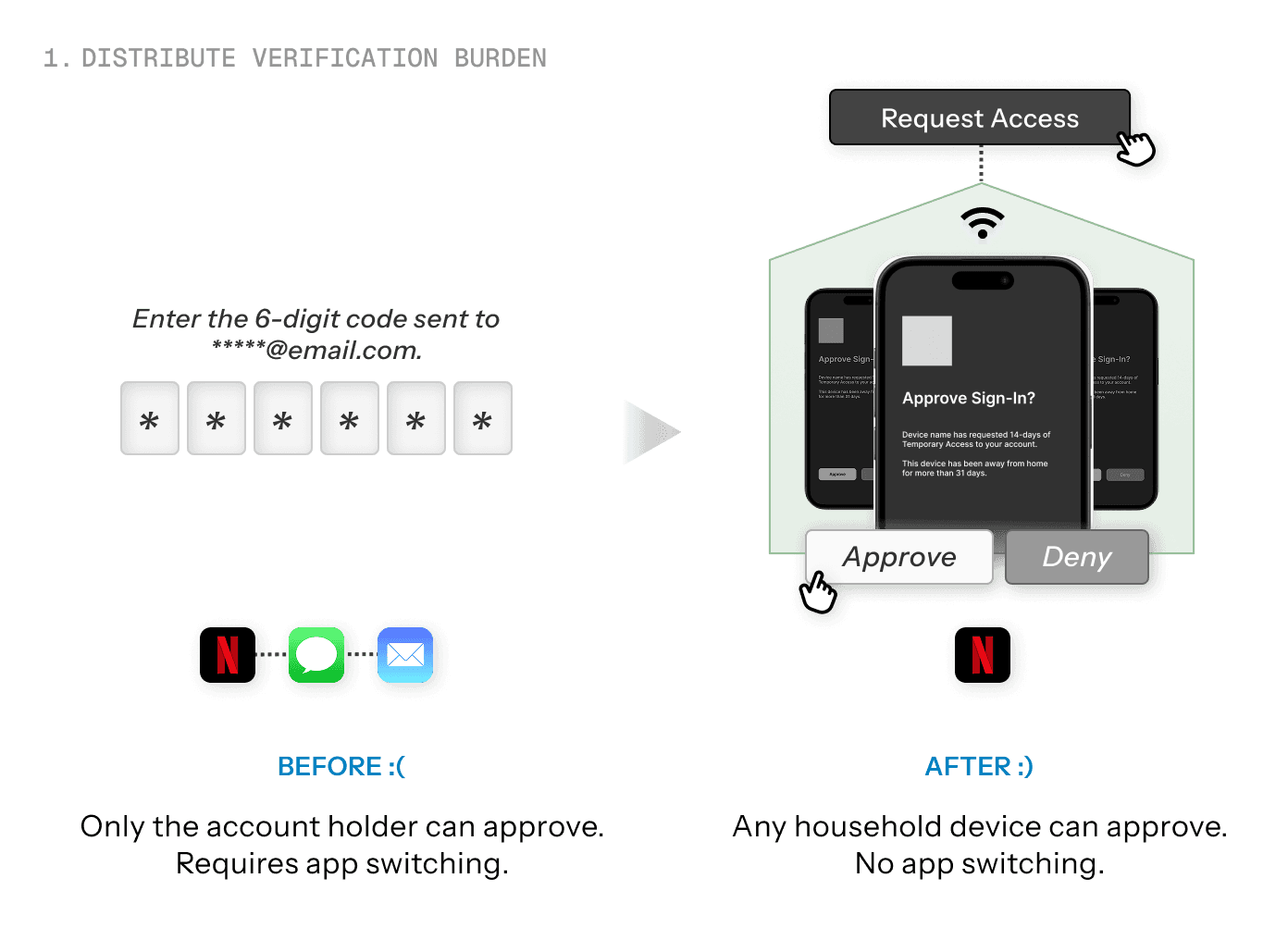
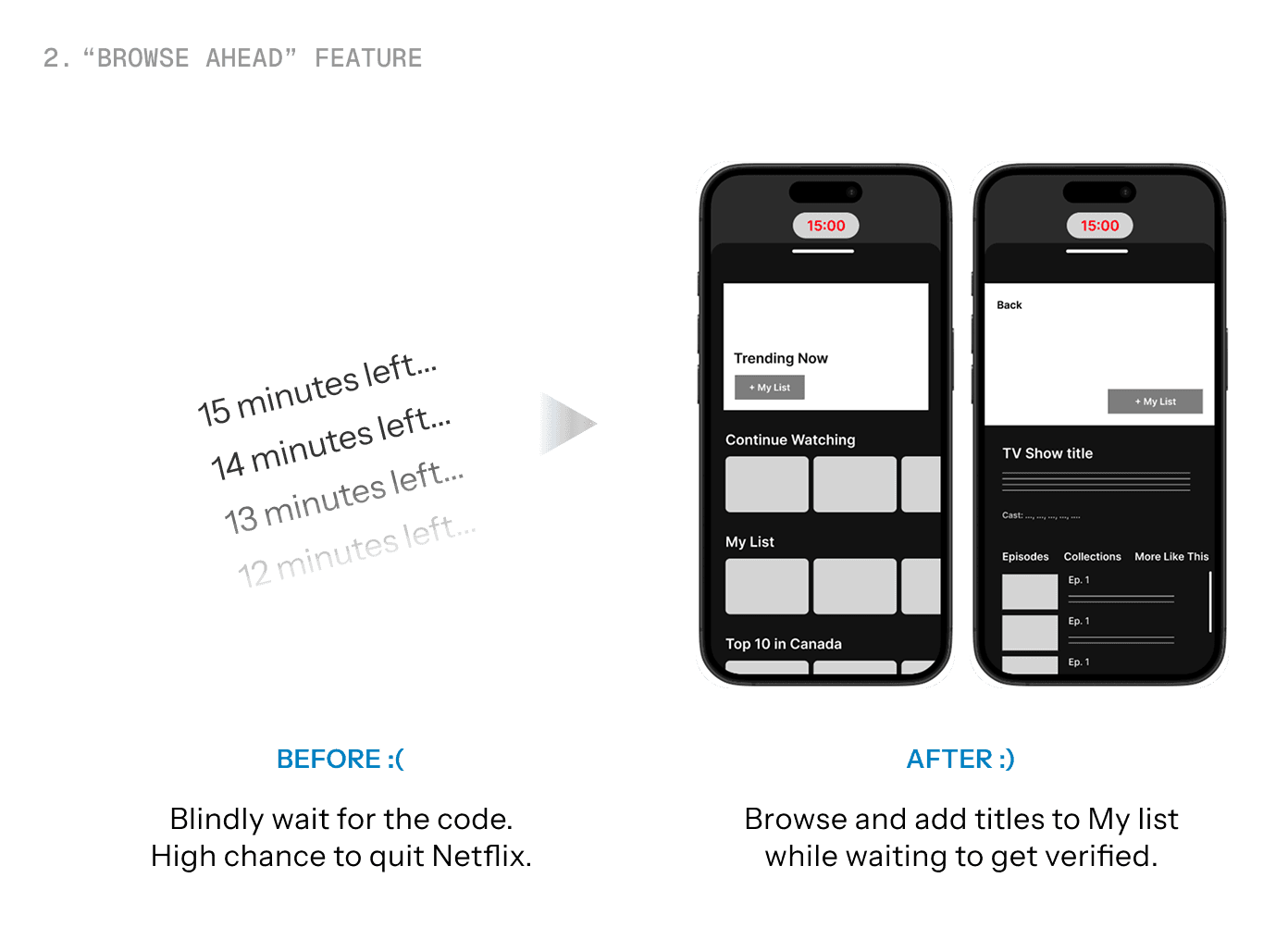
The tech behind distributed verification system:
Netflix's existing RENO (Rapid Event Notification System) pipeline is built to push real-time updates across millions of devices simultaneously. This makes distributed verification a natural fit.
When triggered, the request fans out in parallel to every household device over persistent connections; the first to approve resolves it instantly, unanswered requests persist for pull-on-reconnect.
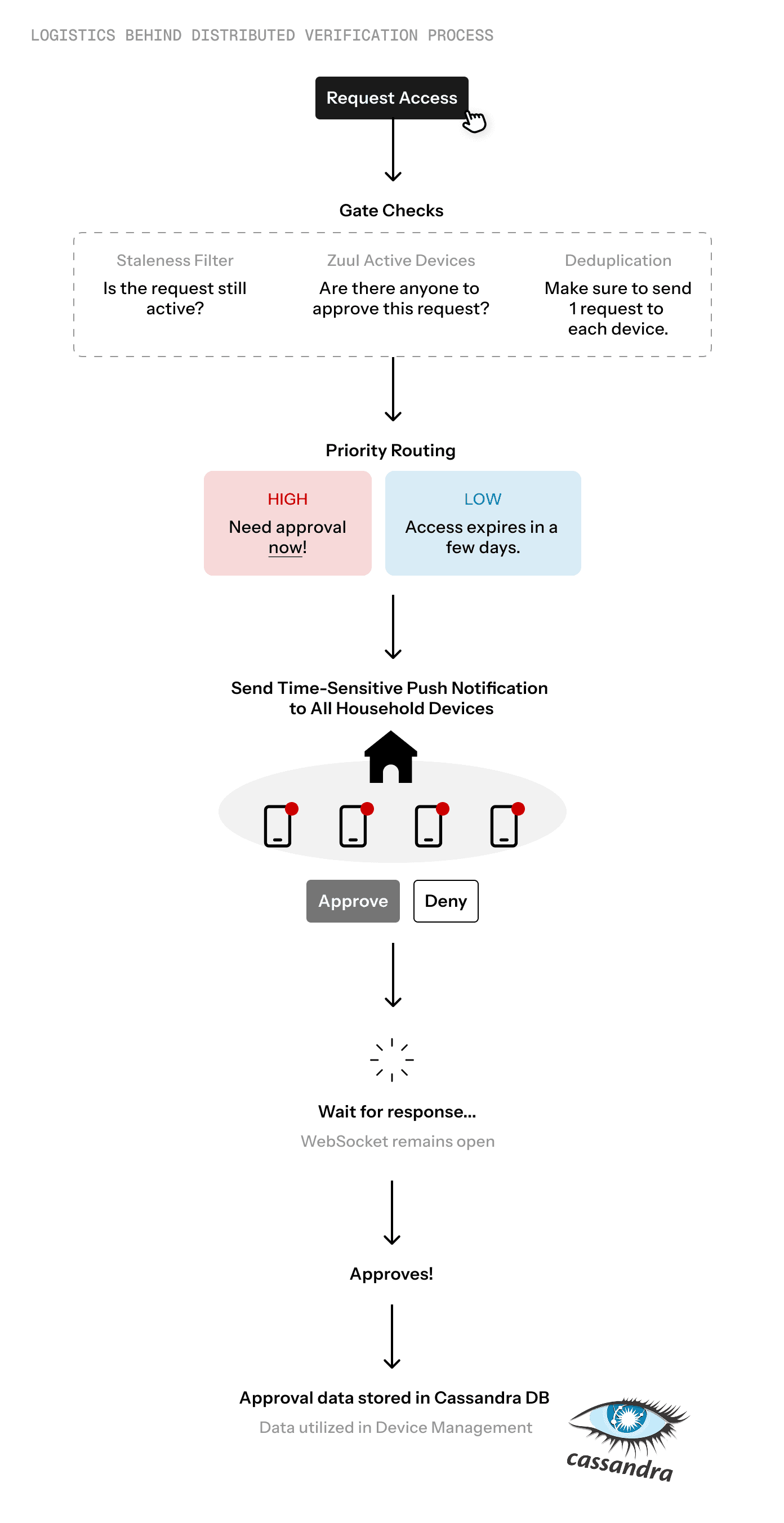
Click to Expand
Design Iterations
Low-Fidelity Prototypes to validate the solutions
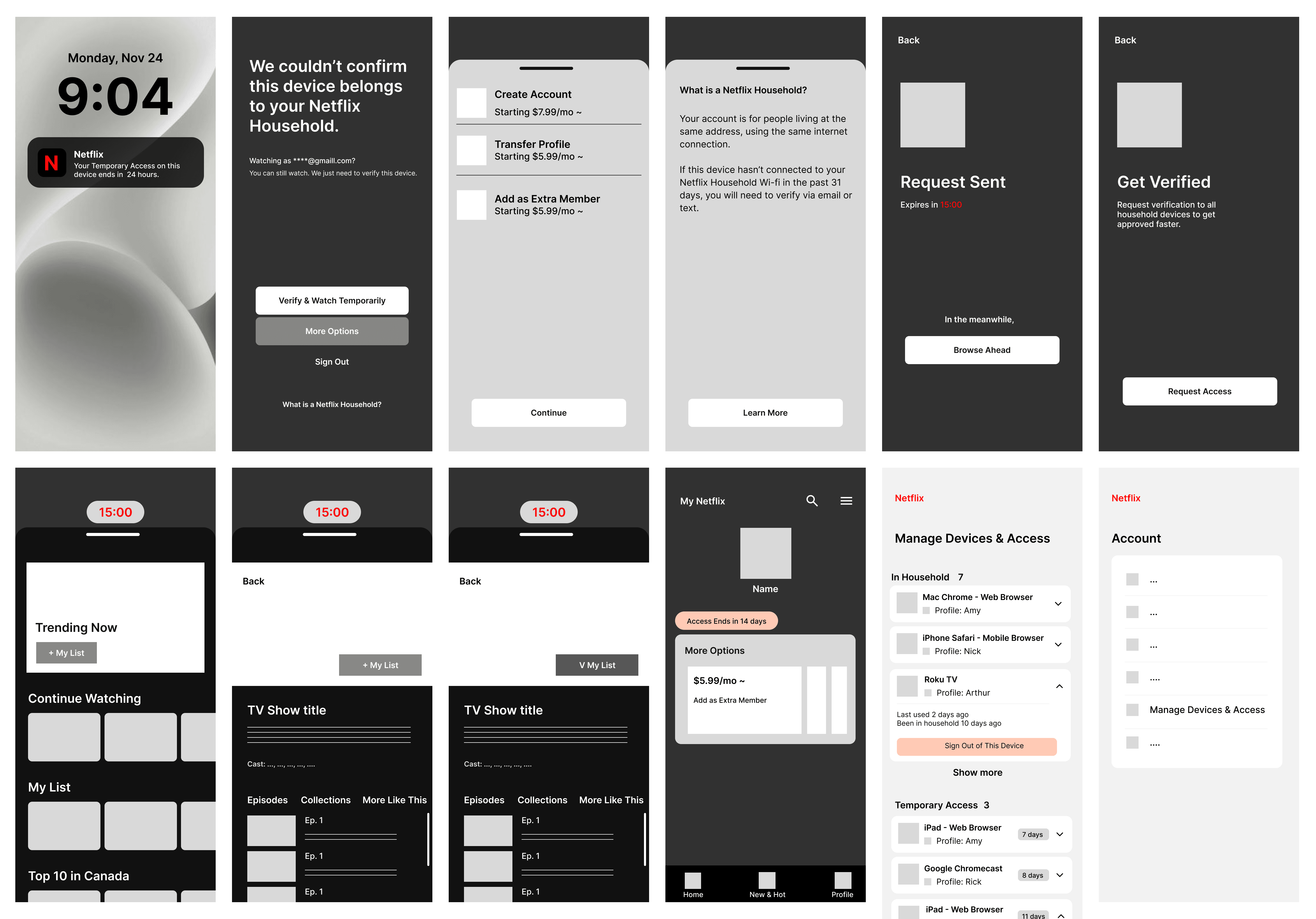
I designed low-fidelity prototypes of the Requester, Approver, and Device Management flow, then conducted a round of informal user tests on 5 test users.
The challenges were as follows.
Challenge #1: 3 out of 5 Users found the new verification method confusing and unfamiliar.
To make verification easier, I introduced a new verification method where any Household devices can verify access requests through the Netflix app. But unfortunately, this led to some confusion among users…
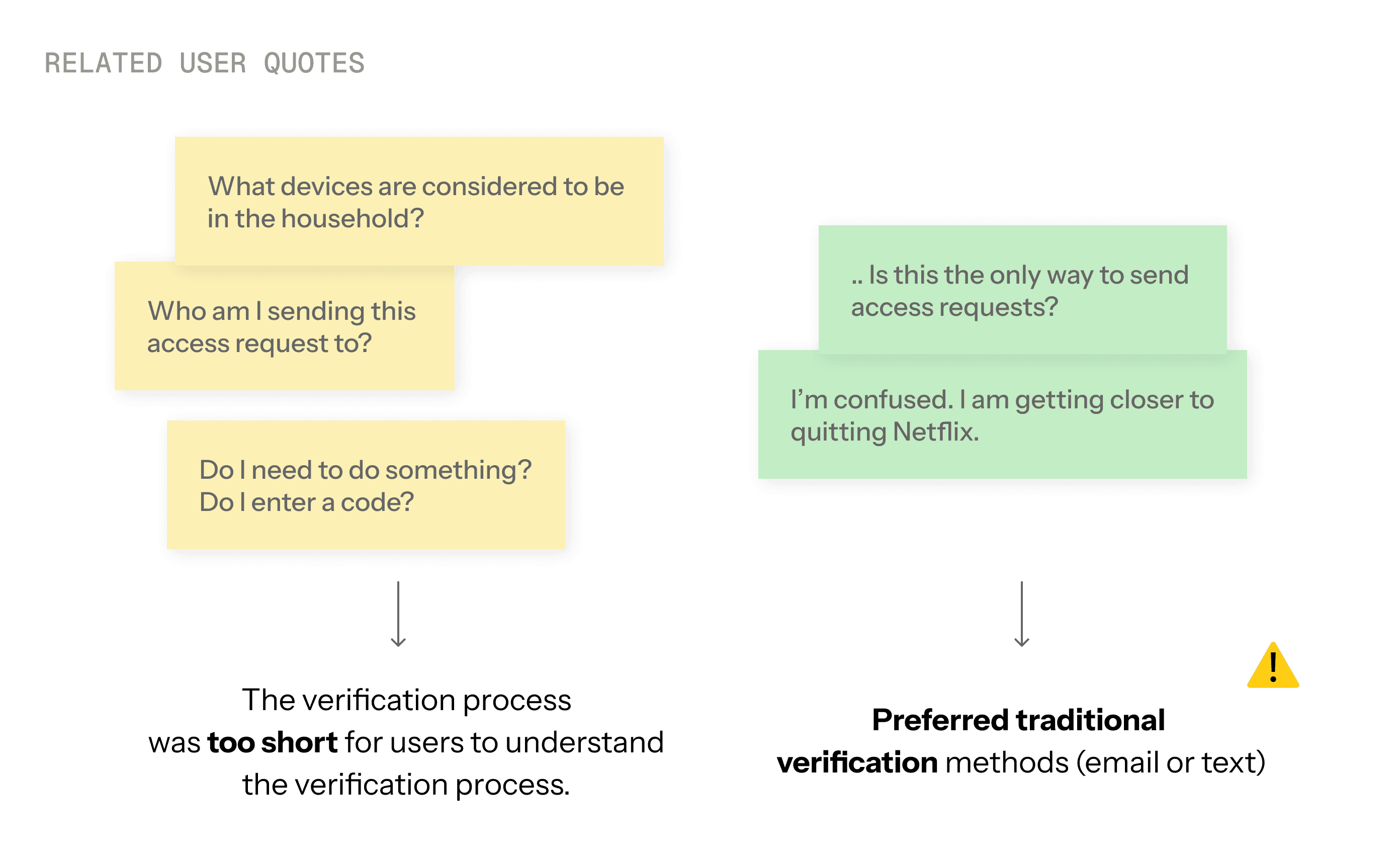
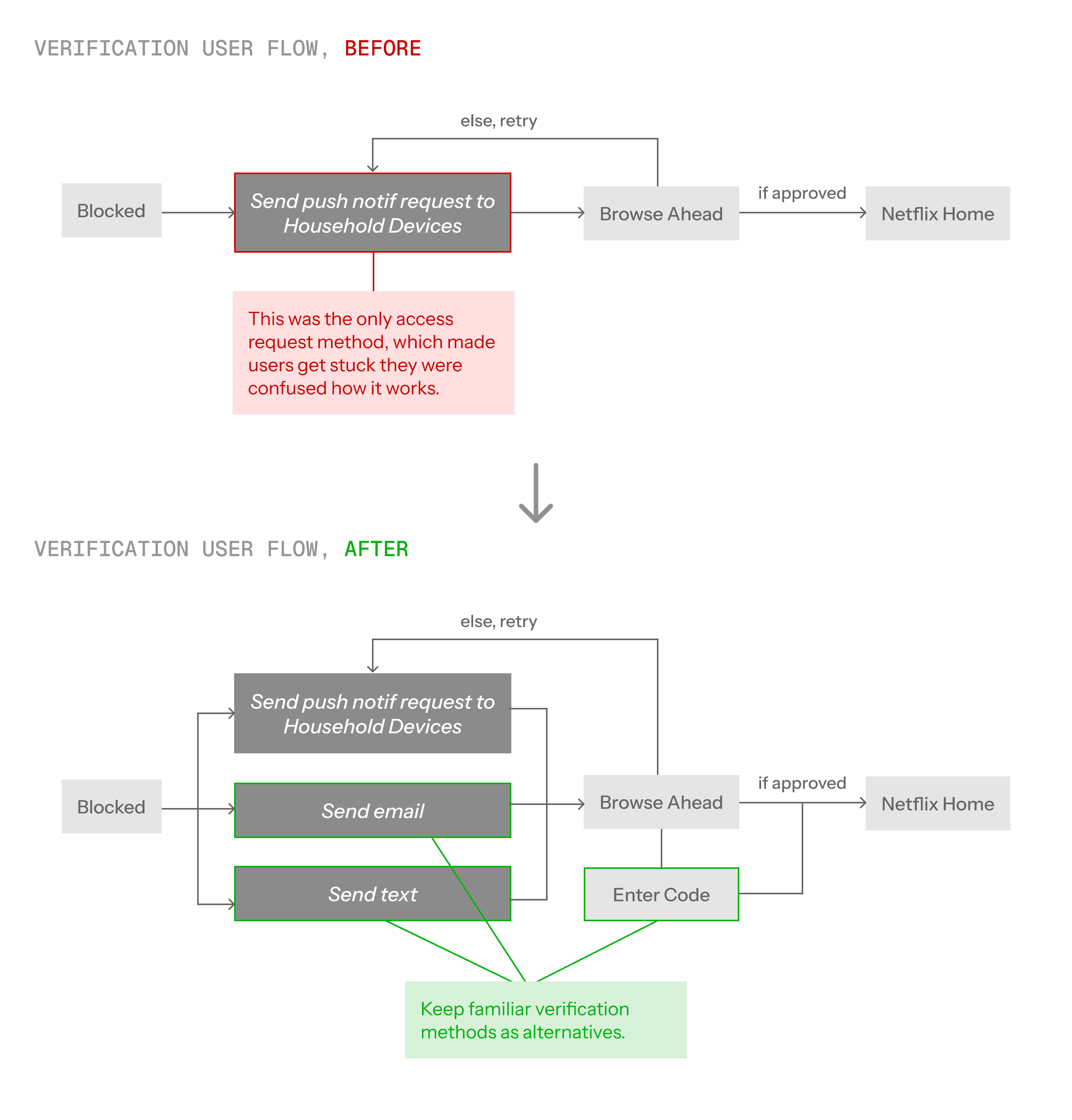
Challenge #2: Users still experienced high cognitive load in device management.
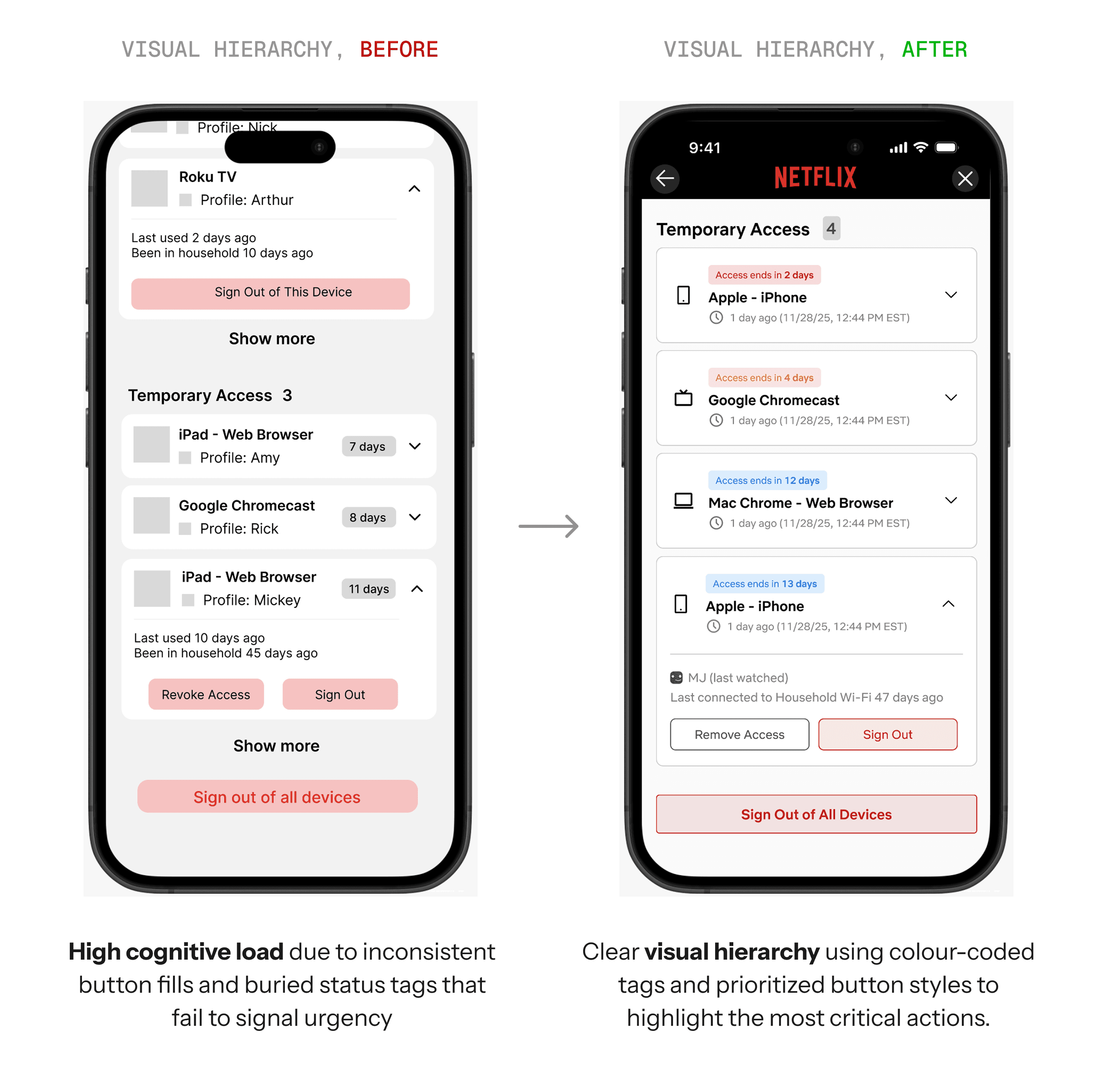
As the list of devices grew longer, users experienced higher friction when completing device management tasks due to the increased cognitive load.
Solution: We need some visual hierarchy here.
To reduce the overwhelm, I added visual hierarchy on components to signal urgency, and stronger visual weight.
While wrapping up the user test, one participant asked…
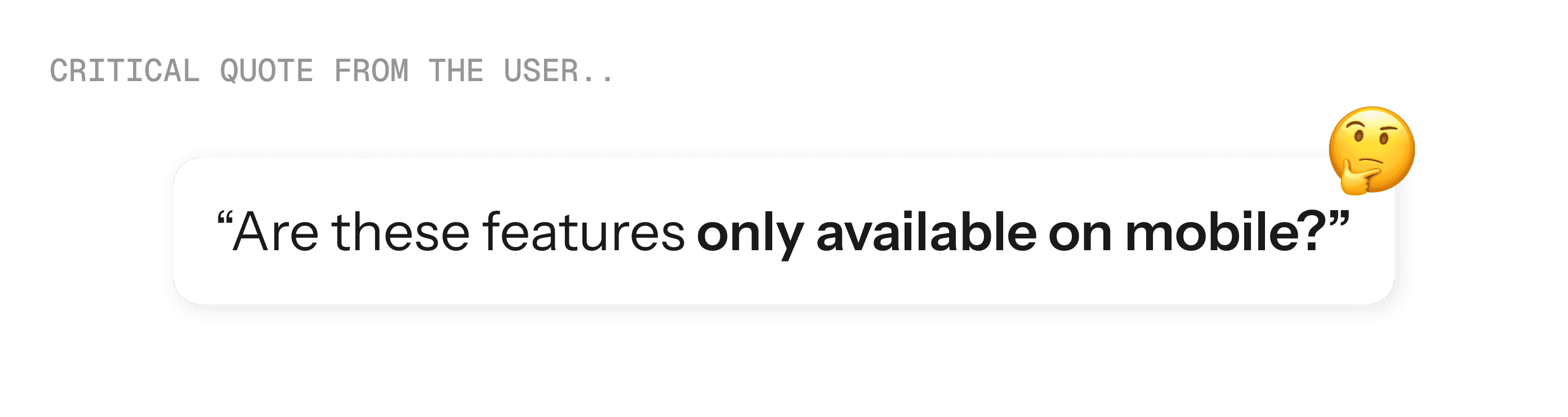
Actually, no! You are totally right. These new features should be accessed across any platforms.
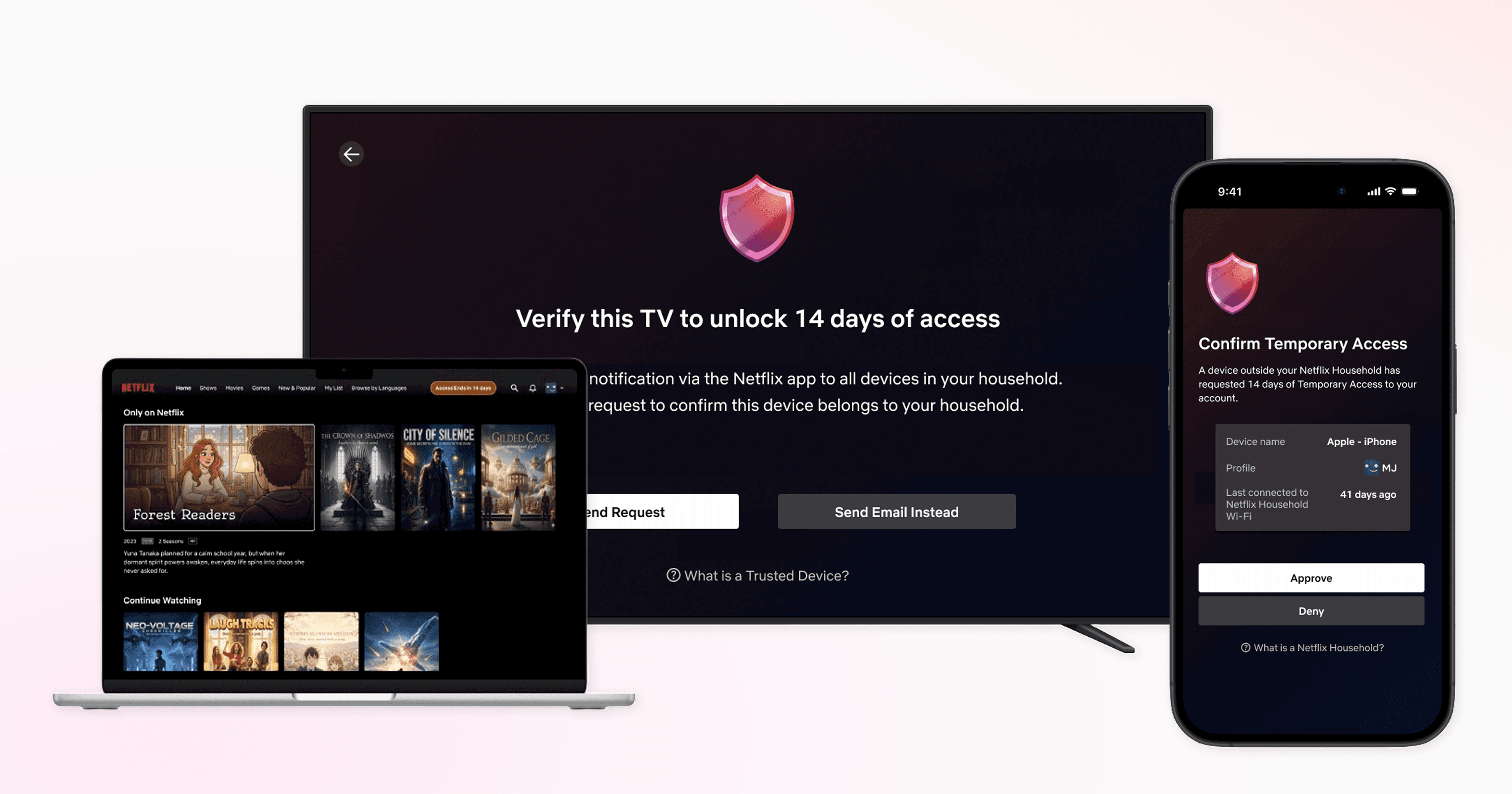
I expanded only the requester flow and device management interfaces to TVs and Desktops, since those devices cannot receive push notifications.
Users can now request access and manage their trusted devices from whichever platform they're using.
Final Design
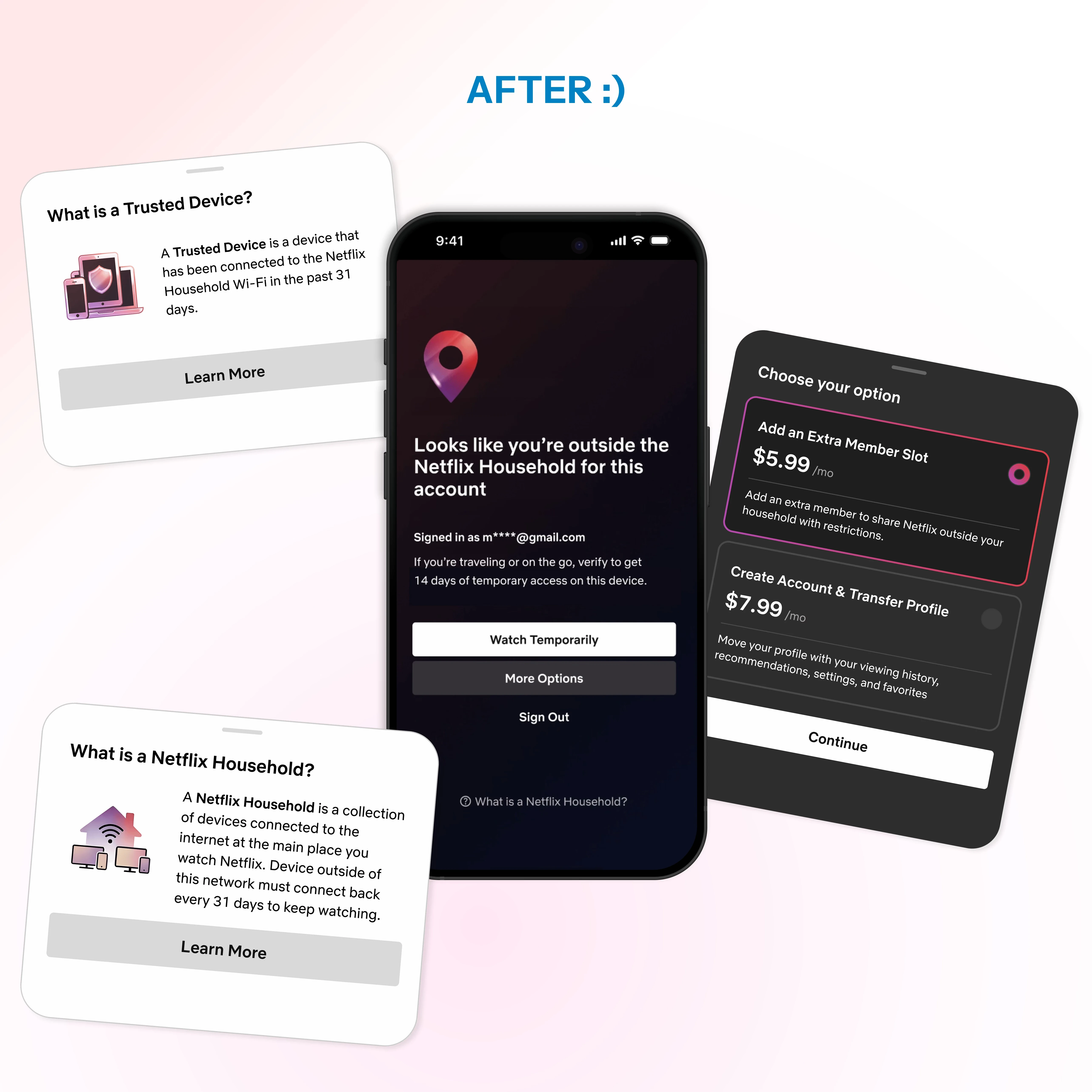
The approval burden is now shared across all household devices. No single person needs to chase down email codes.
Any device on your home Wi-Fi (last 31 days) can approve requests instantly in the app.
Browse trailers, read summaries, and build your watchlist while you wait to get approved. No more staring at blocked screens.
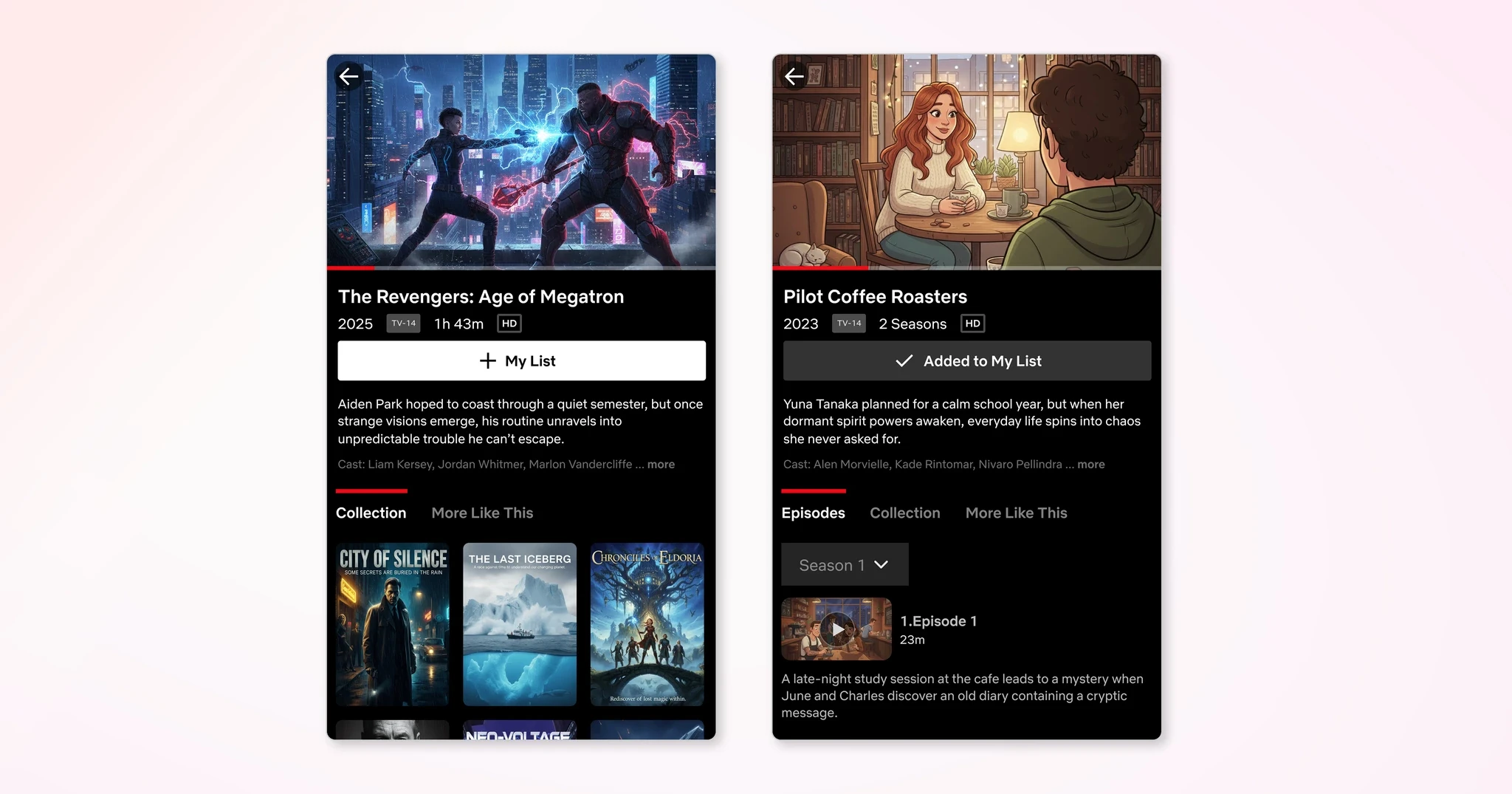
Plain language explains why restrictions happen. No help centre digging needed.
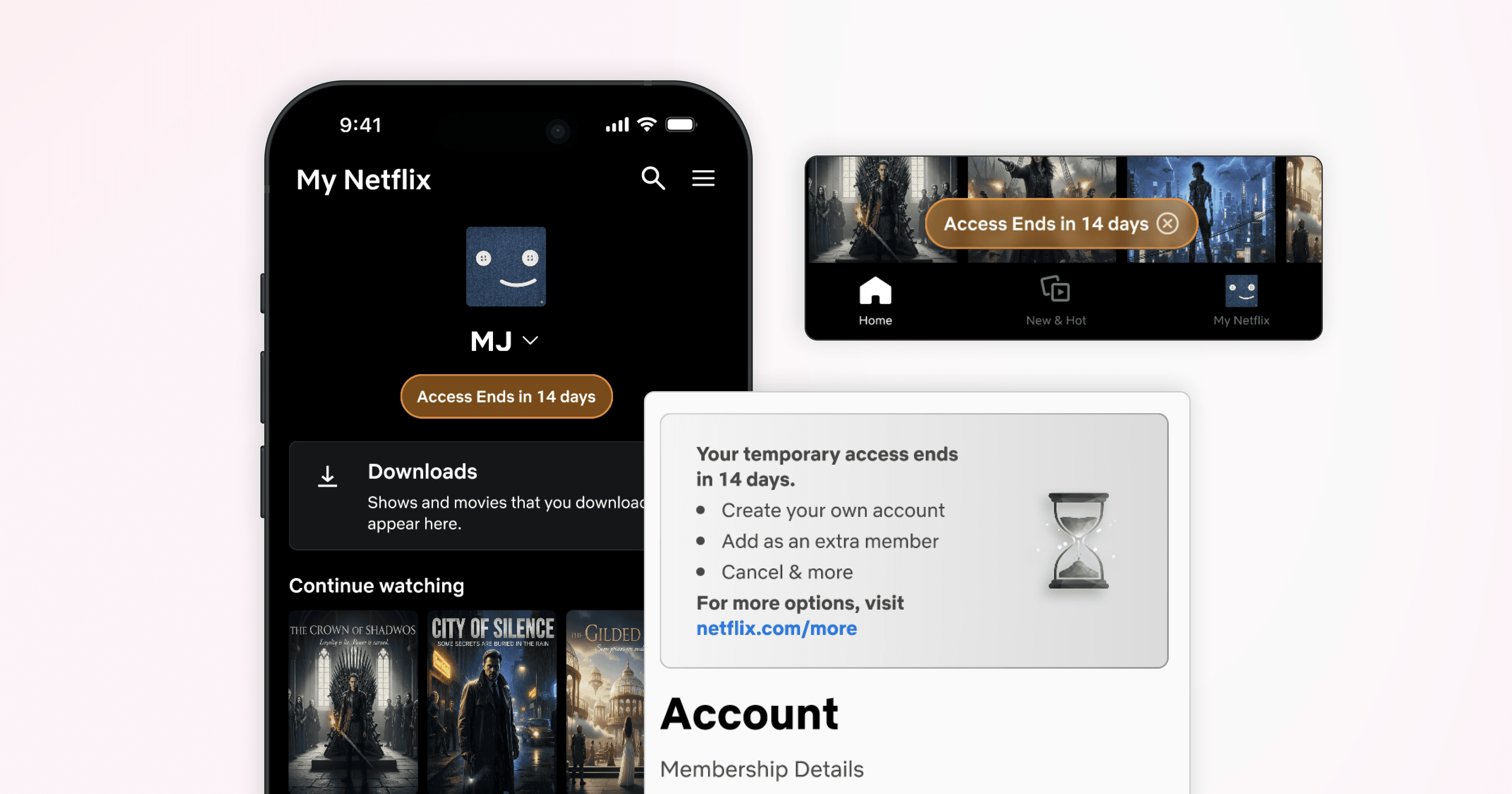
See which devices have temporary access and when it expires. Simple, transparent control has been implemented:
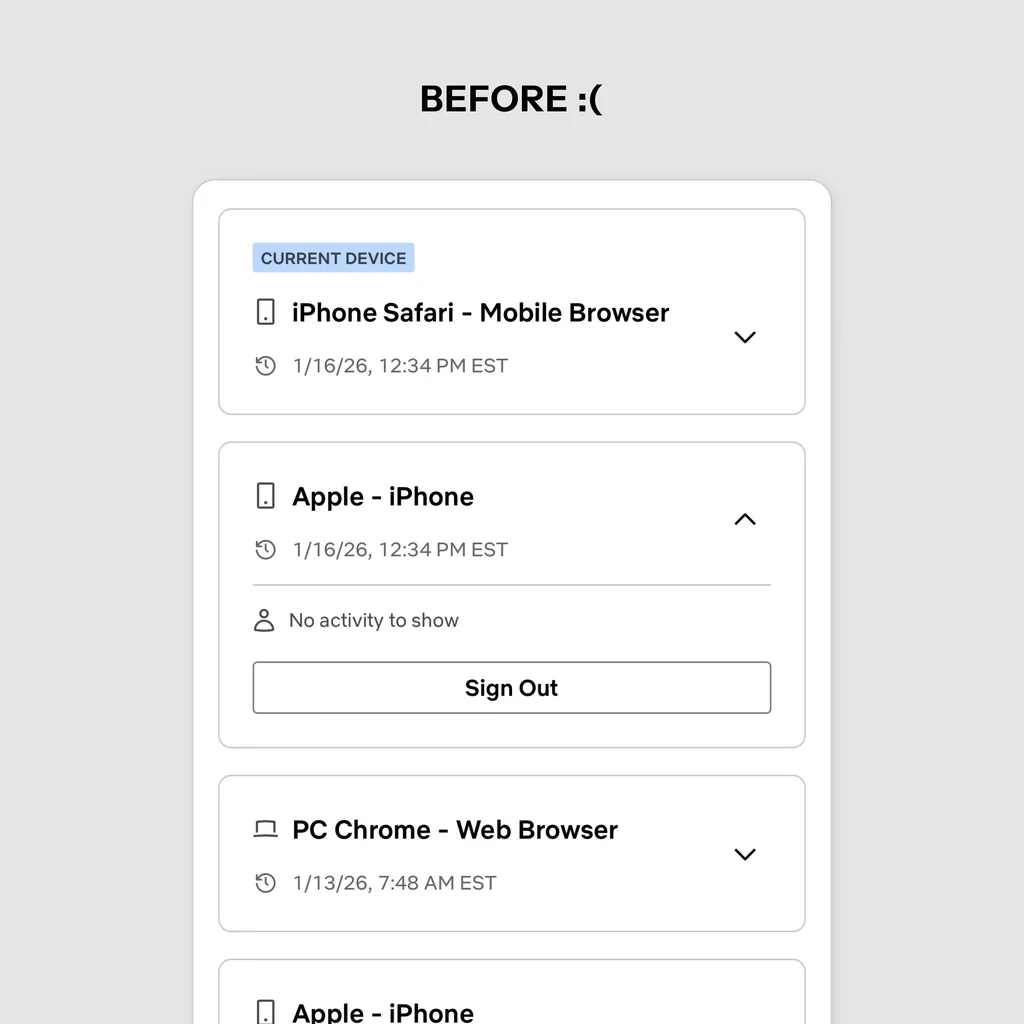
Original Design
The basics worked: users could log out devices and see last active timestamps.
What didn't work was temporary access expiration tracking. Without it, users were blindsided when their temporary access expired.
New Design
I grouped devices by access type and added countdown tags showing days remaining for temporary access, pulling the data from Netflix's Cassandra DB.
Users can now see at a glance what's about to expire.
Notifications and banners keep you informed before your temporary access ends.
Enjoy the new features on your favourite devices.
Outcomes
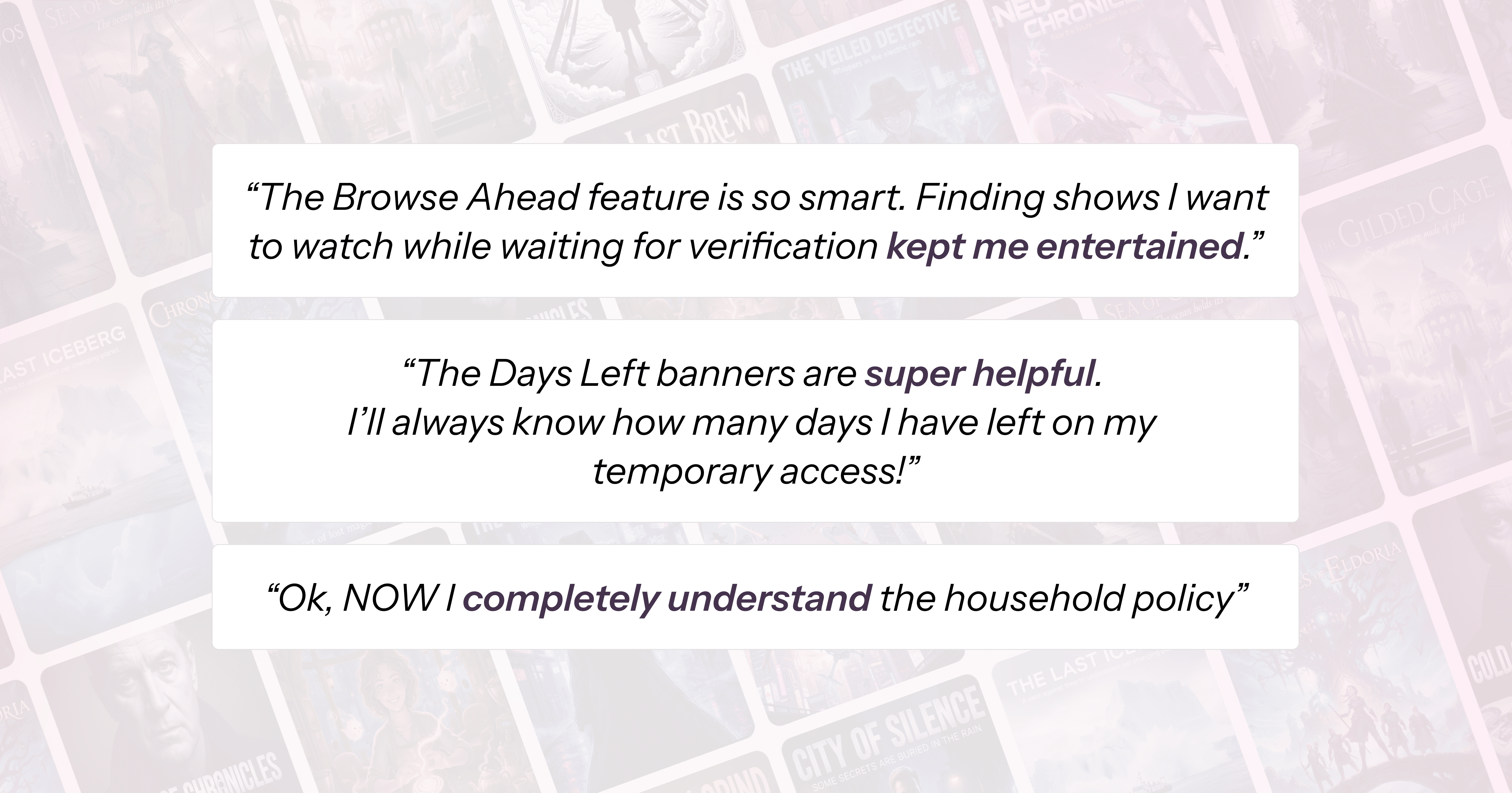
Did the core pain points get resolved? Yes, they sure did! There were significant improvements across all metrics compared to the final redesign, proving the effectiveness of the new features.
Aside: 3/5 users learned about plan options they didn't know about, and showed desire to purchase it!
On top of the key data improvements, users showed interest and desire to purchase the Extra Member Plan, that allows users to use their account outside of their household.
These results were unexpectedly positive and showed my redesign was effective. Users loved the new features, and hoped them to be launched ASAP!
Reflection
I had to redo a user interview and a user test because I lost track of what to take note of. A vague project structure caused me to lose focus on what was actually important.
With repetitive user test and user interviews, I often had to circle backwards due to new insights found. I've learnt to embrace the uncertainty and room for improvement. Sometimes, going backwards is the way forward!